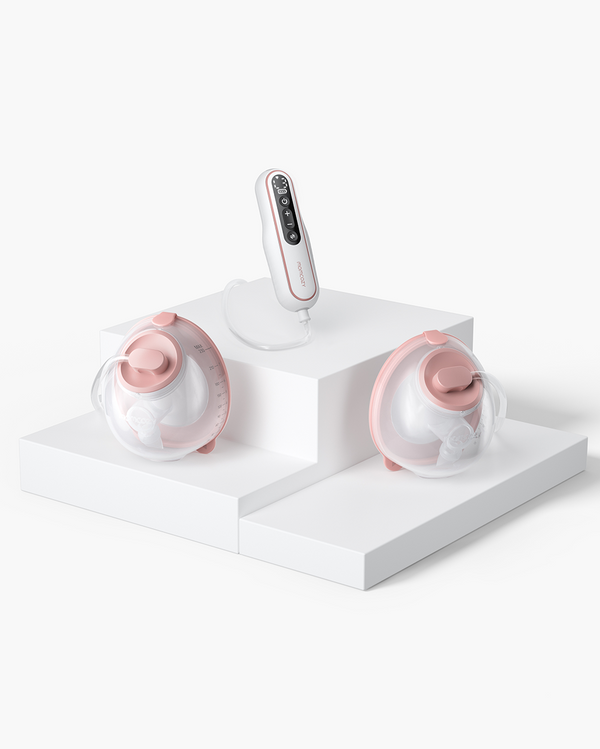
No, not every smart baby monitor requires a subscription. Some models keep core monitoring available after purchase, while others place video history, advanced analytics, selected alerts, or cloud storage behind a paid plan once a free trial ends.
The real question is not simply "is there a subscription?" It is "what still works if I never pay, and are those the features I actually need?" Ownership and access to services aren't the same thing, and parents find themselves facing a locked feature months after checkout.
It is helpful to have a good overview of all the types of baby monitors available before comparing the specific products, because some baby monitors connect via different methods, some allow viewing in various ways, and some baby monitors have monthly fees. This guide is about the decision of subscribing to a smart monitor, not what you get for free or paid, what you get if you cancel your trial, or how to calculate the actual cost of owning a smart monitor over time.
Key Takeaways
- Not every smart baby monitor requires a subscription; the important question is which core functions remain available if you never start or later cancel a plan.
- A free trial is temporary access, not proof that sleep analytics, video history, premium alerts or other services are permanently included with the hardware.
- Live video, audio and basic notifications may remain available without a plan on some models, but there is no universal free-tier standard across brands.
- Compare total ownership cost across the years you expect to use the monitor, including recurring plans, storage, accessories and possible multi-camera costs.
- A no-subscription monitor can simplify costs, but reliability, privacy, video quality, caregiver workflow and the features you actually use still matter.
- Before checkout, verify the post-trial feature set in current official documentation because subscription terms and app entitlements can change.
Do Smart Baby Monitors Require a Subscription?

No. Some smart monitors offer the base service without a recurring plan, and some offer a tiered access model, like selected analytics, history, alerting, or storage, which are paid features on top of a working free base service.
Three common structures show up across the market:
|
Model |
What it typically means |
|
No recurring-fee model |
Core monitoring functions are included with the hardware purchase, with no ongoing plan required to keep them working. |
|
Free core + optional premium model |
Basic live monitoring and alerts work without payment, while advanced features like extended history or detailed sleep reports sit behind an optional plan. |
|
Trial-then-paid premium layer |
A limited free trial unlocks premium features temporarily, after which some of those features require a subscription to keep using. |
Nanit's official product page is a useful current example of the second model: it states that a plan is not required for specified core functions, while select advanced insights are tied to its paid tier. Momcozy's BM08 is a current example of the first model, with no monthly subscription required for its listed monitoring features (more on that later in this guide). The label "smart" on a box does not tell you which of these three structures you are getting. The policy wording does.
If you want the broader picture of what "smart" even means beyond subscriptions, from motion sensing to app connectivity, the smart baby monitor features guide covers that separately.
What Does a Baby Monitor Subscription Usually Pay For?
Subscriptions typically refer to a continuous software or cloud-based offering, not the camera itself, although the term is often used in various ways by different brands, meaning the same word can have a different meaning in different product listings.
Common paid-layer categories worth verifying before you buy:
|
Paid layer |
What it usually covers |
|
Video history and cloud storage |
Extended clip libraries, recorded footage beyond a short rolling window, or cloud backup of nighttime video |
|
Sleep analytics and reports |
Detailed sleep pattern summaries, trend charts, or downloadable reports built from monitoring data |
|
Smart alerts and app services |
Selected AI-driven notifications, premium push alerts, or added account and sharing features inside the app |
Not all brands offer them all for free, and some brands may offer one or two free, but charge for the others. Use this list as a checklist and not as a given. It also ensures that one-time costs (such as an SD card, a wall mount, etc.) can be distinguished from recurring service costs, because they are often entangled in marketing copy.
What Usually Still Works Without a Subscription?

There is no category-wide standard here, so the free baseline needs to be checked model by model. On some monitors, live video, live audio, and basic alerts remain functional indefinitely, even if you never start or later cancel a paid plan.
Nanit's current official FAQ is a concrete example: it states that a plan is not required for specified core functions, including live stream, sound and motion notifications, background audio, temperature and humidity readings, two-way audio, and limited user access. That is a useful reference point, but it describes Nanit's current policy, not a rule that applies to every smart monitor.
Reddit threads on this topic show why the distinction gets confusing in practice. Some users report that sound and motion alerts kept working after their trial ended, while recorded history and certain analytics did not. That mismatch, where the camera clearly still "works" but specific advertised features quietly stop, is the most common source of frustration in parent discussions on this topic.
Before buying, treat each of the following as its own line item to verify, not a single yes-or-no answer:
|
Function |
Often works without a plan |
Worth confirming before purchase |
|
Live view |
Commonly included |
Confirm it stays on after any trial ends |
|
Background audio |
Commonly included |
Confirm continuous access, not a limited window |
|
Sound, motion, or cry alerts |
Often included, but not universal |
Some brands split basic alerts from AI-driven ones |
|
Caregiver sharing |
Varies by brand |
Check free user limits before adding a nanny or grandparent |
|
Recorded history |
Frequently limited or paid |
Ask how many days or clips are included free |
|
Analytics or reports |
Frequently paid |
Confirm whether any report data is included at all |
|
Storage |
Varies by brand and plan |
Confirm cloud vs. local options and any free storage window |
Which Features Are Most Likely to Be Paid or Trial-Based?
Advanced analytics, long-term history, and premium service layers are the features to scrutinize most closely, though where exactly the free-to-paid line sits still depends on the specific product and plan.
There is a difference between a feature existing on a monitor and a feature being included forever. Tested guides from outlets like The Bump illustrate a few different patterns in the wild: some devices offer optional paid reports on top of an otherwise complete free experience, others bundle a free year of premium service that converts to a paid plan later, and some no-fee models include their core smart functions without any monthly payment at all.
The value of any given paid feature also depends on the household. A parent who reviews sleep history every morning may find a subscription genuinely useful, while a parent who only wants live video and basic alerts may never touch the premium layer. When comparing specific competitor claims for your own final copy or shopping research, always confirm against the brand's current official terms rather than older reviews, since pricing, trial length, and included features can shift.
|
Feature category |
Likely free |
Likely paid or trial-based |
|
Sleep tracking |
Basic activity or motion sensing |
Detailed pattern analysis and trend reports |
|
Recorded clips |
A short rolling window of footage |
Extended archives or downloadable clips |
|
Notifications |
Standard sound and motion alerts |
Advanced, AI-driven alert types |
|
Storage |
A short local or cloud buffer |
Longer-term cloud history |
If you also want to know how these paid and free features actually surface inside the app itself, from setup to switching between camera and screen views, the baby monitor app and phone connection guide covers that workflow separately.
Sleep Tracking and Advanced Insights
Basic activity or motion sensing is often free, while detailed pattern analysis and trend reporting are more likely to sit in a paid tier.
Recorded Clips and Event History
A short rolling window of footage is commonly included for free, with longer archives or downloadable clips treated as a premium feature.
AI or Premium Notifications
Standard sound and motion alerts tend to work without a plan, while more advanced, AI-driven alert types are more often plan-linked.
Cloud Storage
Storage duration and location, cloud versus local, is one of the more variable paid-layer decisions across brands and deserves its own check at checkout.
What Happens When the Free Trial Ends?
The key question is not how long a trial lasts. It is which capabilities disappear, downgrade, or remain once that trial period is over.
A "3 months free" or "1 year premium included" offer can create an impression that the full experience is permanent, when in reality only certain features carry through after the trial. Before buying, it is worth recording the post-trial baseline in writing: what live monitoring, alerts, history, and app access look like once the promotional period ends.
A few practical checks to make ahead of purchase:
- Does the plan auto-renew, and is that clearly disclosed at signup?
- Does the hardware continue core monitoring after the trial without any plan?
- Does historical data or saved clips remain accessible, or do they disappear?
- Are you comfortable with the plan reverting to a paid tier automatically if you forget to cancel?
If the premium tier is mainly useful during a specific stretch, like early sleep training months, a temporary subscription can be a reasonable choice rather than a lifetime commitment. Since policies and terms can change, it is worth saving a screenshot or the official terms page at the time of purchase if long-term access matters to your family.
Calculate the Real Cost Before You Buy
Comparing sticker prices alone misses the picture. Instead, weigh the hardware cost against every recurring and scaling cost you are likely to face over the years you expect to use the monitor.
A simple formula to apply:
Hardware price + recurring plan cost + paid storage or history + extra-camera costs + required accessories = estimated ownership cost
Use this worksheet structure to fill in current, verified numbers for any model you are comparing:
|
Timeframe |
What to add up |
Notes |
|
12-month cost |
Hardware price + 1 year of any recurring plan + setup accessories |
The baseline figure most listings imply but rarely state outright |
|
24 to 36-month cost |
Hardware price + 2 to 3 years of any recurring plan + accessories + any storage upgrades |
Matches the typical window many families keep a single monitor before a sibling or device upgrade changes the math |
|
Multi-camera or sibling cost |
Add a second camera's price plus whether its plan is billed separately |
Plans are sometimes billed per camera or per account rather than per household, so this line needs its own check |
Populate this worksheet with current official pricing only, since older figures from past reviews or previous Momcozy copy should not be treated as current. For a broader look at price tiers and hidden costs across the category, the cheap vs. expensive baby monitor guide covers that comparison in more depth.
Is a No-Subscription Baby Monitor Automatically Better?

No. Skipping monthly fees can simplify ownership, but the better monitor is still the one whose included functions, reliability, viewing workflow, and privacy model actually fit your family.
When No Monthly Fee Matters Most
Families who want predictable, one-time cost and prefer not to depend on an ongoing service tend to value a no-subscription model most.
When a Paid Plan May be Worth It
Families who genuinely use long-term video history, detailed sleep analytics, or other premium services may find the ongoing cost worthwhile rather than wasted.
No-subscription Is Not the Same as Non-WiFi
These are two separate decisions. A WiFi-connected smart monitor can still have no monthly fee, and choosing to avoid subscriptions does not mean giving up app-based viewing.
Reliability, image and audio quality, app usability, and caregiver workflow all still matter regardless of which subscription model a monitor uses. If your bigger question is whether smart features are worth the higher hardware price at all, rather than just the subscription piece, the is a smart baby monitor worth the price guide covers that broader decision.
Check Multi-Camera, Caregiver, and Storage Costs Before Baby #2
Costs can change once you add another child, another camera, another caregiver, or a longer history window, so it is worth verifying how a plan scales before you are locked into one ecosystem.
Run through this checklist before adding a second child, camera, or caregiver to your setup:
- Extra cameras: Confirm whether pricing is per account, per camera, per household, or per feature tier, since a second camera sometimes requires its own separate plan.
- Shared caregiver access: Check whether additional caregivers, such as a nanny or grandparent, can view the feed for free or whether each added user requires paid access.
- Local vs. cloud history: Confirm whether local storage is supported as an alternative to cloud-only recording, which can matter if ongoing cloud fees are a concern.
- Bundled multi-camera plans: Ask whether a second camera can share an existing plan or whether it triggers a new subscription entirely.
Parent forum threads repeatedly show that scaling cost, not the initial purchase price, is what triggers regret after the fact. Treat these discussions as evidence of a real pain point rather than proof of any specific brand's current policy, since only the brand's official terms can confirm current pricing.
Subscription Checklist: 10 Questions to Ask Before Buying
If a seller cannot clearly answer what is free, what is paid, and what changes after a trial, treat that lack of clarity itself as a purchase risk. Bring this list to the product page, the brand's FAQ, or a support chat before you commit, and don't rely on a general review to answer questions that only the current official terms can settle.
- What works on day one without a plan?
Get a specific feature list, not a general "yes, it works" answer.
- What stops working once the trial ends?
Ask this even if the listing doesn't mention a trial at all.
- Which alerts are included for free?
Basic sound and motion alerts are more often free than advanced AI-driven ones.
- How much video history comes standard?
A day, a week, and a rolling few hours are very different baselines.
- Is local storage an option?
This can reduce dependence on an ongoing cloud plan.
- Can additional caregivers be added at no extra cost?
Confirm the free user limit before assuming a nanny or grandparent can join.
- Does a second camera change the monthly fee?
Multi-camera pricing is one of the more common surprise costs.
- Can you cancel and still keep live monitoring?
This is the difference between "optional plan" and "required plan."
- Is the plan billed monthly, annually, or both?
Annual billing can look cheaper per month but locks in a longer commitment.
- What is the estimated 24 to 36-month total cost?
Use the worksheet from the cost section above to answer this with real numbers.
If connection type or data privacy is part of your decision as well, the WiFi baby monitor security guide covers that separately. Once you have answers to the questions above, you will be in a much better position to compare current models on the Momcozy baby monitor collection by connection type, viewing method, and monthly-fee status.
Where a No-Monthly-Fee Smart Monitor Can Fit
A no-monthly-fee smart monitor can fit families who want app-based smart features without the feature set depending on a recurring payment.
Who BM08 May Fit
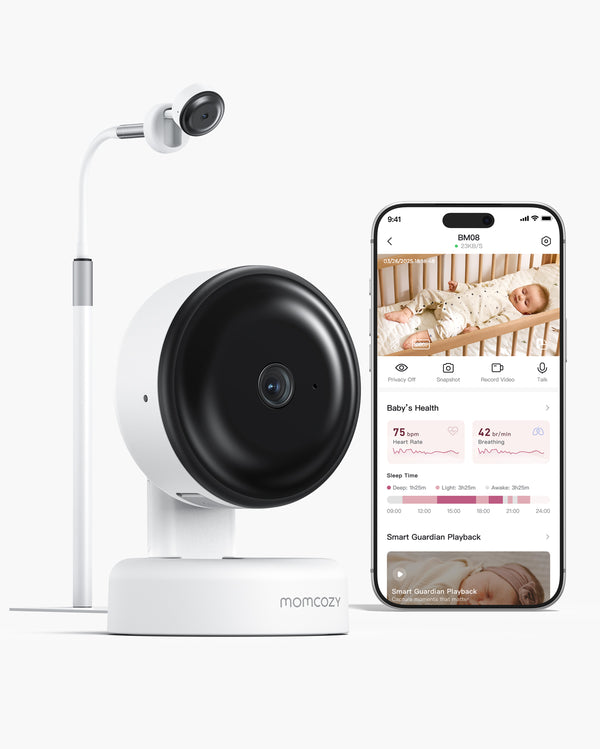
The Momcozy BM08 is a current example worth checking: its product page states that no monthly subscription is required for its core monitoring, sleep tracking, motion alert, and listed app insight features. It is app-based and requires a WiFi connection to function.
Who May Prefer a Different Monitor Style
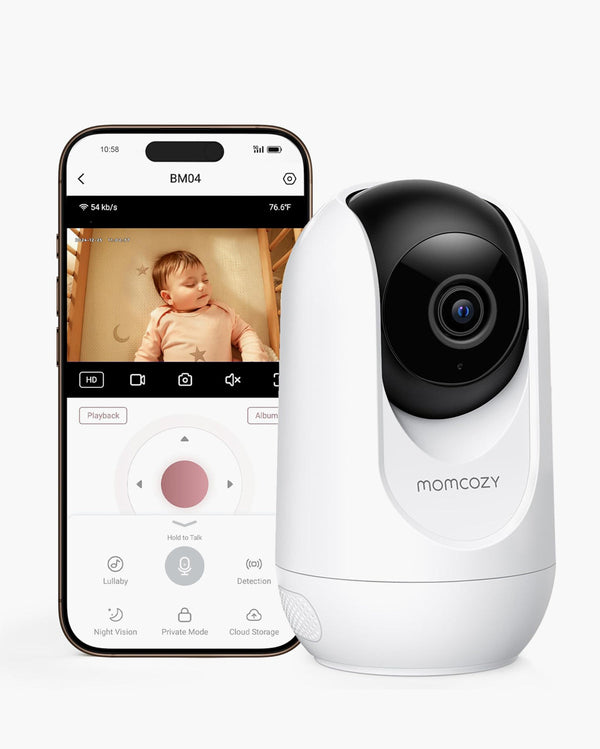
Because BM08 relies on WiFi and an app, it may not be the right fit for a family that wants a dedicated parent screen instead of a phone, or one that specifically wants offline, local-only monitoring. The main baby monitor collection also compares Momcozy models by connection type, viewing method, and monthly-fee status if a different structure suits your setup better.
Frequently Asked Questions
Do baby monitors still work if you cancel the subscription?
It depends on the model. Some keep core live monitoring and basic alerts working after cancellation, while others reduce functionality. Check the specific product's current policy before buying.
Can a WiFi baby monitor work without a subscription?
Yes, in many cases. WiFi connectivity and subscription requirements are separate decisions, so a WiFi-connected smart monitor can still have no monthly fee.
Does "no monthly fee" mean video history and cloud storage are free too?
Not necessarily. "No monthly fee" typically refers to the core monitoring functions. Extended video history or cloud storage may still be a separate paid add-on, so it is worth checking each feature individually.
Are sleep reports usually included without a subscription?
This varies by brand. Basic activity sensing is more commonly free, while detailed sleep analytics and trend reports are more likely to require a paid plan.
Can multiple caregivers use a smart baby monitor without paying extra?
Some monitors allow free caregiver sharing, while others limit the number of free users or charge for additional accounts. Confirm this before assuming grandparents or a nanny can join at no cost.
Do I need another subscription when I add a second camera?
Sometimes. Pricing structures vary between per-camera, per-account, and per-household models, so this is worth verifying directly with the brand before buying a second unit.
Is a non-WiFi baby monitor the only way to avoid monthly fees?
No. Non-WiFi and subscription-free are different attributes. Some WiFi-connected smart monitors have no recurring fee at all.
Conclusion
The right subscription model is the one that keeps the monitoring functions you actually care about working, at a cost you are comfortable paying, or one that lets you stop paying without losing the core experience you bought the hardware for in the first place. Before checkout, verify the free baseline, the paid layer, what happens after the trial ends, and your estimated cost over 24 to 36 months. Avoiding a subscription is a preference, not a universal measure of quality. Once you know what to check, you can compare current models on the Momcozy baby monitor collection with a clearer sense of what you are actually paying for.