If you already own an iPhone or Echo, you may wonder whether you need another device for white noise. Yes, both can work: supported iPhones have built-in Background Sounds, while Alexa can play white noise through compatible skills and services. The bigger question is whether you want to keep using a phone or smart speaker for the routine. Dedicated baby sound machines make more sense when you want sound to run independently, need repeatable controls, or want nursery features such as a night light and saved routines.
Key Takeaways
- Supported iPhones include built-in Background Sounds, while Alexa can play white noise through compatible skills or audio services.
- An iPhone works well as an already-owned, portable option for occasional use, testing sounds, or keeping a backup available.
- Alexa can be convenient in a fixed room when hands-free control and smart-home routines fit the household.
- A dedicated sound machine separates the sleep sound from a parent’s phone and can add physical controls, lighting, and saved routines.
- Alexa playback length, looping, subscriptions, and routine support can vary by skill, so check the current skill before relying on it overnight.
Can You Use an iPhone or Alexa as a White Noise Machine? The Quick Answer
Yes. An iPhone can play Apple’s built-in Background Sounds, and Alexa can play white noise through supported skills or audio services. Neither option, however, works exactly like a dedicated nursery sound machine. Apple documents Background Sounds on iOS 15 or later, while Amazon’s sleep-sound system depends partly on the skill being used.
A simple way to decide is:
- Occasional use, backup, or a quick sound test: an iPhone may be enough.
- Hands-free sound in a room that already has an Echo: Alexa may be enough.
- A repeatable nursery routine with independent controls: a dedicated sound machine may make more sense.
None of these options is automatically required or medically better for a baby’s sleep.

Does the iPhone Have a Built-In Sound Machine?
The iPhone has a built-in feature called Background Sounds. Apple describes it as an accessibility and ambient-audio feature rather than a separate sound-machine app. It requires iOS 15 or later.
You can turn it on through Control Center or go to:
Settings → Accessibility → Audio & Visual → Background Sounds
Apple lets you select a background sound and adjust its volume. The selected audio file downloads to the iPhone, so the built-in feature does not depend on continuously streaming that sound. Apple also provides controls for mixing Background Sounds with other media and choosing whether playback stops when the phone locks.
Background Sounds controls can vary by iPhone and software version. Check the settings on the phone you plan to use to see which options are currently available.
For a quick nap or occasional backup, that may be all you need.
Can Alexa Play White Noise?
Yes, Alexa can play white noise and other ambient sounds through compatible skills. The exact experience depends on the skill rather than one universal Alexa white-noise mode.
For example, the Amazon-hosted Ambient Noise by Sleep Jar skill currently includes White Noise, Pink Noise, Brown Noise, rain, fan sounds, and many other choices. One current command is:
“Alexa, open Ambient Noise.”
The skill can then play a selected sound, but commands, timers, looping, and available features can differ across skills.
Amazon also confirms that developers of sleep-sound skills can support Alexa Routines and looping. Those capabilities still have to be implemented by the individual skill.
Can Alexa Play White Noise All Night?
Sometimes, but do not assume every Alexa skill behaves the same way.
The current Ambient Noise listing says a selected sound can continue until the user tells Alexa to stop, while its premium tier changes the length of individual sound loops. Other skills may have different time limits, looping behavior, gaps, subscriptions, or routine support.
If overnight playback matters, check the exact skill you plan to use rather than relying on a general Alexa setting.
iPhone vs. Alexa vs. a Dedicated White Noise Machine
The best fit depends on what you already own and how you want the sound to fit into your routine.
| Decision Factor | iPhone | Alexa | Dedicated Sound Machine |
|---|---|---|---|
| Extra device needed | No | Only if not already owned | Yes |
| Uses your phone as the sound source | Yes | Yes | No |
| Hands-free control | Limited / setup-dependent | Yes | Model-dependent |
| Physical controls | Phone controls | Echo controls + voice | Usually; verify model |
| Playback dependency | iOS setting, app, or stream | Wi-Fi/service/skill may apply | Model-dependent |
| Timer/routine | Current iOS/app-dependent | Skill/routine-dependent | Model-dependent |
| Night light | No dedicated nursery light | Not a core sound feature | Available on selected models |
| Portability | High | Usually room-based | High on portable models |
| Best fit | Occasional, backup, quick test | Hands-free fixed-room use | Independent, repeatable routine |
The important distinction is independence. An iPhone uses a device a parent may also need for communication and other tasks. Alexa keeps the phone free but depends more on the Echo setup, network, service, and chosen skill. A dedicated machine gives the sound routine its own device.
Families comparing specific Momcozy models can narrow those differences by control style, portability, lighting, and routine features in the Momcozy sound machine comparison rather than turning this iPhone-versus-Alexa decision into a model-by-model ranking.
When an iPhone May Be Enough
An iPhone is a practical starting point when you already own one and only need white noise occasionally.

It may work well for:
- testing whether you like a certain background sound;
- short naps or occasional use;
- keeping a backup option available;
- situations where carrying another device is inconvenient.
Before depending on the phone regularly, think about what else you need it to do. Background Sounds has controls for other media and lock behavior, but the phone is still the device handling your calls, apps, battery use, charging, and other daily tasks.
Third-party sound apps can also have their own internet, subscription, and playback requirements, so Apple’s built-in feature should not be treated as proof that every iPhone sound app works offline.
For trips, the decision changes because battery life, luggage, hotel rooms, and portability become more important. Those situations are handled separately in the comparison of a portable sound machine vs. a phone app for baby travel.
When Alexa May Be Enough
Alexa can be a good fit when an Echo already stays in the room where you want the sound and you prefer voice control.
Instead of finding a phone and opening a setting, you can start a compatible skill by voice. Alexa Routines can also work with sleep-sound skills that support them, making a fixed smart-room setup more repeatable.
There are still a few things worth checking:
- Does the selected skill support the sound you want?
- How long does it play?
- Does it loop smoothly?
- Are longer sessions or other features part of a premium plan?
- Does the skill work with your preferred Routine?
- Are Wi-Fi and the required service normally available in that room?
- Are voice responses or device lights acceptable in your setup?
Account and privacy preferences may also affect the choice. Treat those as household preferences rather than assuming every family feels the same way about a connected smart speaker.
Alexa can therefore be convenient without being completely independent of software and network conditions.
When a Dedicated Baby Sound Machine Makes More Sense
A dedicated device becomes more practical when the sound needs to continue without occupying a parent’s phone.
That can matter if you use the phone for calls, work, a baby monitor, messages, entertainment, or other tasks while the sound continues in the nursery. It can also help when you want direct controls on the device, a repeatable sleep-wake schedule, a dedicated light, or one sound machine that stays in the same room.
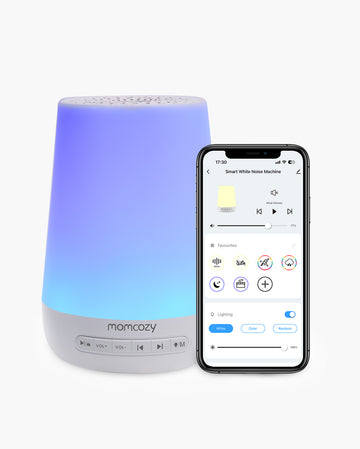
The Smart Baby Sound Machine with App Remote Control fits that use case by combining app control with touch controls on the machine. This gives parents more than one way to make adjustments while keeping the nursery sound setup separate from the phone itself.
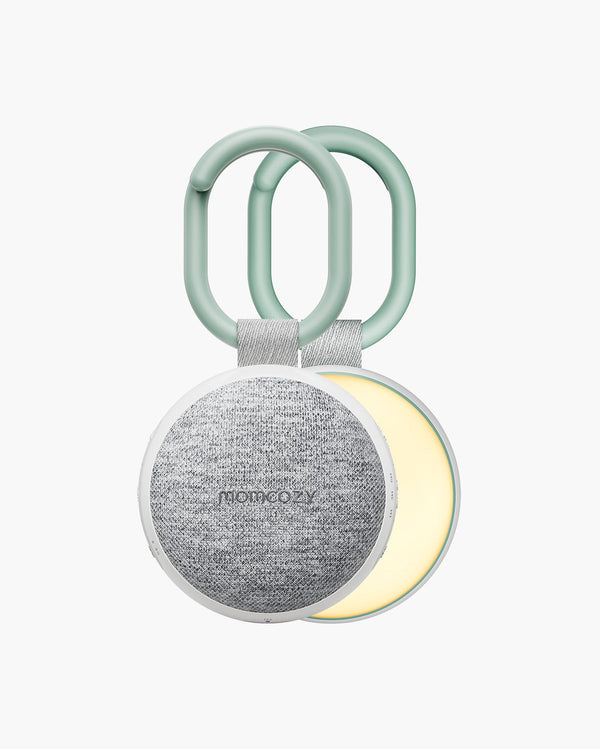
Families who need something easier to move can compare portable options within the broader Momcozy range, since not every dedicated sound machine is designed for the same routine.
How to Choose the Right Option for Your Family
Five questions usually make the choice clearer:
- How often will you use white noise? Occasional use gives an already-owned device an advantage. A daily routine may make a dedicated setup more convenient.
- Does a parent need the phone at the same time? If yes, separating the sound from the phone becomes more useful.
- Is hands-free control important? Alexa has an advantage when a compatible Echo and skill already fit the room.
- What happens when a service or network is unavailable? Check the exact dependency of the app, skill, or dedicated model you are considering.
- Do you want physical controls, lighting, portability, or saved routines? These features can make a dedicated device more suitable for a nursery.
That leads to three simple outcomes:
Use what you already own when the need is occasional and the setup works well.
Use Alexa for a fixed smart-room setup when voice control and supported services fit your routine.
Choose a dedicated device for separation and repeatability when sound has become a regular part of the nursery setup.
The broader question of whether white noise itself fits your family is covered separately in the discussion of the benefits and limits of white noise for babies, so the device choice does not need to carry that entire decision.
Using Any White Noise Option Around a Baby
Whether the sound comes from an iPhone, Echo, or dedicated machine, the device still needs an appropriate setup around a baby.
Keep the sound at a gentle level, judge it from where the baby actually sleeps, and place the phone, speaker, or sound machine on a stable surface outside the baby’s sleep space. Cords and devices should stay out of the baby’s reach.
Avoid treating a particular device as a guarantee of safe sleep or better sleep. Questions about exact volume, placement, overnight use, and other safety details need more context than this device-comparison article provides. Those factors belong in the dedicated information on sleeping with a baby sound machine.
For parents deciding how white noise fits into the newborn period more generally, white noise for newborn sleep covers that use context separately.

FAQs About Phones, Smart Speakers and White Noise
Does the iPhone Have Built-In White Noise?
Yes. Apple’s Background Sounds feature includes ambient sounds and is available on iPhones running iOS 15 or later. It is built into iOS rather than requiring a separate white-noise app.
How Do I Turn On Background Sounds on an iPhone?
Open Control Center and use the Background Sounds control, or go to Settings → Accessibility → Audio & Visual → Background Sounds. Apple also lets you choose a sound and adjust its volume.
Can iPhone Background Sounds Play When the Phone Is Locked?
Yes, depending on your setting. Apple includes a Stop Sounds When Locked control, so check whether it is turned on or off for the playback behavior you want.
Will Calls, Notifications, or Other Media Interrupt iPhone White Noise?
The experience depends on your iPhone settings and what the phone is doing. Apple provides controls for playing Background Sounds with other media, as well as Focus and notification settings, so test your intended setup before relying on it for a routine.
Can Alexa Play White Noise All Night?
Some skills support long or continuing playback, but there is no single rule for every Alexa white-noise skill. Check the current skill for playback length, looping, sound gaps, timers, and premium limits.
Does Alexa Need Wi-Fi to Play White Noise?
Alexa sound skills generally depend on the Alexa service and the selected skill or audio service, so network requirements should be checked for the setup you plan to use. Do not assume every Alexa sound option works without connectivity.
Are Alexa White Noise Skills Free?
Some provide free features, while others offer premium options or subscriptions. For example, the current Sleep Jar Ambient Noise listing includes premium features such as longer sound loops, showing why pricing and limits should be checked skill by skill.
Is a Dedicated Sound Machine Better Than a Phone or Alexa for a Nursery?
It can be a better fit when you want the sound to run independently of your phone, need direct physical controls, or want nursery-specific features such as saved routines or lighting. An iPhone or Alexa may still be enough when your needs are simpler.
Conclusion: Match the Device to the Routine
An iPhone and Alexa can both handle white noise, so a dedicated machine is not automatically necessary. The decision depends on what you need the setup to do beyond playing a sound.
An iPhone works well for quick or occasional use, while Alexa fits hands-free use in a connected room. A dedicated device earns its place when independence, repeatable controls, lighting, or nursery routines matter more. Momcozy’s baby sound machines can be compared by control method, portability, lighting, and routine needs rather than by assuming one setup fits every family.