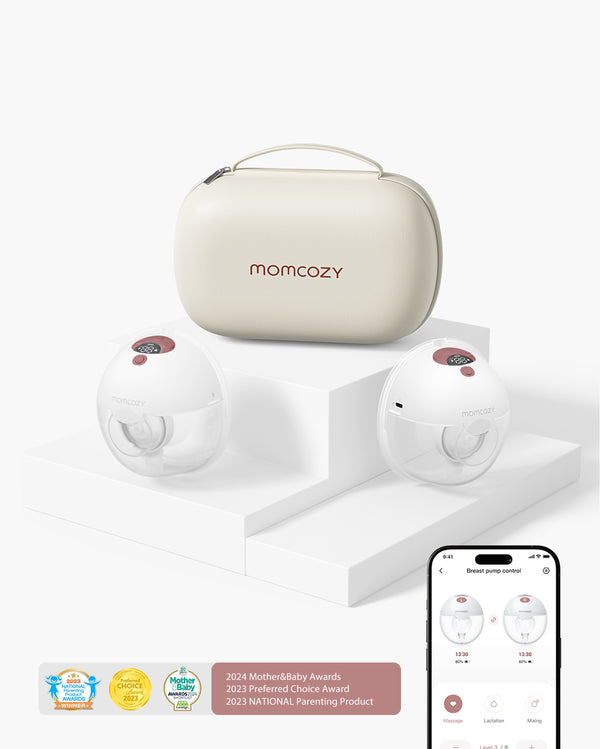
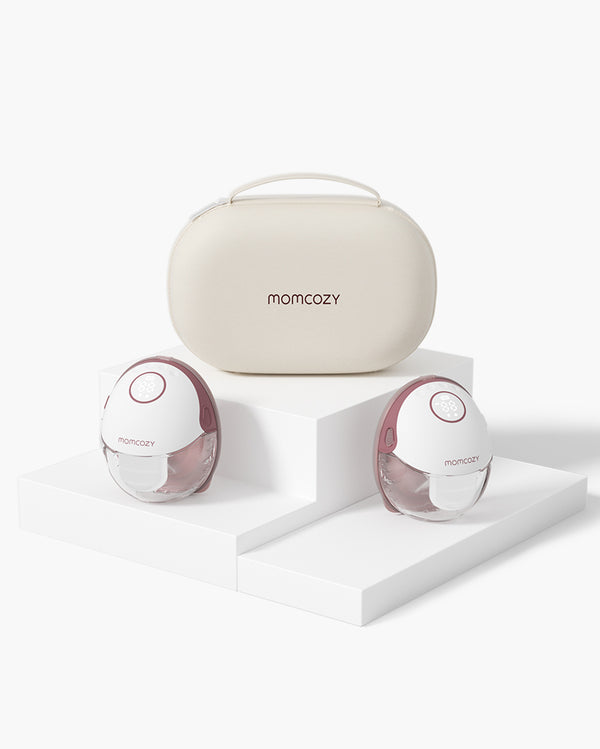
You’ve just purchased the Momcozy M5 Smart, or are considering it. There's an important note to start with: the M5 Smart is our updated version of the M5. Same pump we've been selling for awhile, now with the Momcozy app built into it. It was released in early 2026 as the app-enabled replacement of the M5 and the older M5 is being phased out, so the M5 Smart is the one we stock now. All of the following pertain to the one you'd get. Most of the questions moms ask were asked about the M5 and they all carry over.
We took the true ones from Reddit, from verified reviews and from our own support inbox and responded with the true specifications instead of the brochure. When you're still not sure if the M5 Smart is the right pump for you, this is the page for you.
This page is for you and your M5 Smart. For those who are new to pumping, our breastfeeding guide for beginners covers the first few weeks
Momcozy M5 Smart at a glance
The M5 Smart is our quiet, app-enabled wearable. It's the lightest pump in our lineup at 230 g, and the one we point first-time and working moms to when they want something discreet they can track from their phone.
| Spec |
M5 Smart |
| Type |
Wearable, hands-free |
| Suction range |
75–285 mmHg (Stimulation 75–145, Expression 120–285, Mixed 75–285) |
| Modes / levels |
Stimulation / Expression / Mixed · 9 levels |
| Cup capacity |
160 ml / 5.4 oz per cup |
| Weight |
230 g |
| Noise |
Under 48 dB (library-quiet) |
| Battery |
~6 sessions per charge (180 min total) |
| Charge time |
120 min · Type-C, 5V/1A |
| Flange in box |
24 mm flange + 21 mm insert (17/19 mm inserts optional) |
| App |
Yes. M5 Smart only (original M5 has none) |
| Price (double kit) |
$199.99 |
Who the M5 Smart is actually for
For working moms who pump at a desk and need something quiet they can run from their phone.
New moms looking for the simplest clean-up (just four components to wash).
Anyone who enjoys viewing output trends and session logs, instead of a paper notebook.
A good all-in-one feeder or a part time pumper looking for a dependable daily driver for an inexpensive price.
Pair with a hospital grade pump if you are only pumping to build and/or maintain a full supply, or if your pumping output is already unstable. The M5 Smart, at 285 mmHg, isn't a hospital grade workhorse, but rather a strong wearable. More on that below.
Comfort Fit
Steady Output
Hands-Free Freedom
Easy App Control
How to assemble the Momcozy M5 Smart
People search for assembly first, often at 2 am. With only 4 washable parts, the M5 Smart is easy to maintain. If you have not found your flange size yet, our flange size guide helps before you start. The full step-by-step also lives on our user-manuals page.
In the box you get two motors, two 24 mm flanges, two diaphragms, four duckbill valves, two 21 mm inserts (17/19 mm inserts sold separately), two Type-C cables, and a hard carry case.
- Place the 21 mm flange insert (or a 17/19 mm insert if needed) into the 24 mm flange.
- Push the diaphragm in flat against the back of the flange.
- Insert the duckbill valve into the diaphragm; it should snap into place, not dangle.
- Hold the milk collector cup against the flange and twist to seal (match the markings on the cup and motor).
- Click the motor unit on top; the four clips should click when they connect.
Dry every part thoroughly before assembly. The number one cause of weak suction is a damp seal, and moisture in the motor is the one thing you cannot undo.
How to use the M5 Smart (settings, modes, and how to pump)
The M5 Smart has three modes, nine levels each:
-
Stimulation (75-145 mmHg): short, quick pulls to trigger let-down. Start here for the first minute or two.
-
Expression (120-285 mmHg): the main milk mode; most of your session happens here.
-
Mixed (75-285 mmHg): alternates the two patterns for a gentler rhythm.
There is no single "best setting." Use Stimulation at a low level to trigger let-down, then switch to Expression and raise the level until it feels comfortable and effective, not painful. Suction is not directly tied to output and can bruise tissue. For tips that actually help production, read our guide on how to increase your milk supply.
- Center your nipple in the flange tunnel and secure the flange flat with a pumping bra.
- Press and hold the power button for 2 seconds to turn the pump on.
- Start in Stimulation at a low level for 1-2 minutes to trigger let-down.
- Switch to Expression and raise the level until it feels comfortable and effective.
- Short-press the control button (or pause in the app) to stop mid-session. The pump also auto-shuts off after 30 minutes as a safety limit.
How to charge the M5 Smart
A full charge lasts about 180 minutes (around six 30-minute sessions), roughly a working day. A full top-up takes about 120 minutes with the Type-C cable (5V/1A).
- Connect the Type-C cable (5V/1A) to the motor and a power source.
- Charge for about 120 minutes. The battery icon fills as it charges and the indicator switches from flashing to steady when full.
- Unplug before pumping; the pump will not run while it is charging.
- If you store the pump for months, top up the charge every 3 months to protect the battery.
If the pump will not turn on after a long charge, the port or cable is the likely culprit.
How to clean and sterilize the M5 Smart
Wash and sanitize after every use, and daily if your baby is a newborn or preterm. The M5 Smart is not dishwasher safe, so wash by hand.
- Rinse the flange, insert, diaphragm, valve, and collector under warm water to clear milk.
- Wash in a basin of warm (40-60°C) soapy water for 3-5 minutes with a brush kept just for pump parts.
- Disinfect by boiling 5-10 minutes, or use one microwave steam bag per day.
- Wipe the motor exterior with a damp cloth or a 70% alcohol wipe. Never submerge the motor.
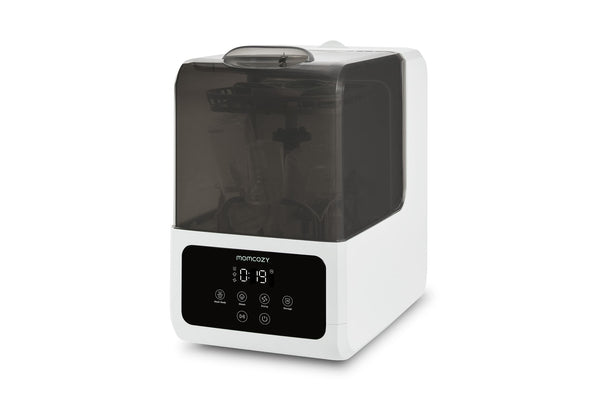
Hand-washing stays essential for the M5 Smart motor and for a quick rinse right after pumping—but you can skip the long brush session at the sink for heat-safe milk-contact parts. The Momcozy DeepClean Lite Baby Bottle Washer and Sterilizer includes Pump360 Rotary Jets that direct water into curves and narrow openings in flanges, valves, duckbill valves, and collection cups (no electronic components in the load). Choose a cycle that matches your day: Rapid Wash for quick turnarounds, or wash plus 212°F steam sterilization, drying, and up to 72-hour hygienic storage when you want bottles and pump parts ready for the next session. Pour out leftover milk before loading, and never place the motor unit in the washer. You can also learn more about Momcozy bottle washer's detail there: Momcozy bottle washers collenctions>>
Silicone parts are consumables; replace them every 1-3 months or sooner if cracked, torn, or limp. Our pump parts cleaning and replacement guide covers the timing. Traveling? Pack the brush, a few steam bags, and a basin. For washing in a hotel room or car, see our guide to pumping on the go.

Flange size and fit (what's in the box, how to change it)
The M5 Smart ships with a 24 mm flange and 21 mm insert preassembled. A 17 mm and 19 mm insert are sold separately and fit the same way. If 24 mm feels too roomy, the smaller inserts will not help; swap the whole flange instead.
- Power off and remove the motor.
- Lift the current insert out of the flange.
- Press the new insert in flat until it sits flush.
- If a different flange size fits better, swap the entire flange rather than just the insert.
Fit drives both comfort and output. Too large leaks air; too small pinches. The few minutes to size correctly are worth it. Use our flange size guide to measure, and see the La Leche League guidance that fit is the most important factor in comfortable pumping.
To empty the cup, keep it upright, remove the motor, and pour from the spout into a bottle or bag. Follow the CDC's milk storage guidance for the next use.
Comfort Fit
Steady Output
Hands-Free Freedom
Easy App Control
How the M5 Smart app works (and why it's the upgrade)
This is the only distinction between the M5 and the M5 Smart. The original M5 does not have an App. It's a program that you can execute from the buttons. The one feature that differentiates the two, the M5 Smart links with Momcozy via Bluetooth.
Control from your phone: switch modes and levels without fishing the pump out from under your shirt.
Milk log: record output per session and watch the trend.
Real-time display: see how much you've collected live on the screen.
Schedule reminders: set alerts so you don't lose track between meetings.
No application required for pumping. Without a phone, the buttons operate properly, and a complete session can be played either with or without a phone.
If the app will not connect, work through these steps:
- Make sure the pump is on (hold power about 2 seconds) and Bluetooth is enabled on your phone, including the Momcozy app's Bluetooth permission in Settings.
- Close and reopen the app, then re-pair after toggling Bluetooth off and on in Settings (not the quick panel).
- Turn the pump motor on and pair with your phone nearby.
- If a firmware update fails, keep the pump on within about 10 m of the phone with a good connection, then tap Retry.
- Still stuck? Try another phone to rule out the phone, then email support@momcozy.com. The M5 Smart, Air 1, M9, and W1 pair this way; the M5, M6, and S12 Pro Quick have no app.
Our user-manuals page has the pairing walkthrough for the step-by-step.
The answer is no, the M5 Smart is not a hospital grade pump. While the FDA considers breast pumps to be medical devices, the term "hospital grade" is not a formal term for FDA regulation, so the important terms are "suction" and "use case.
“Hospital Grade” refers to pumps designed to have a powerful and high suction force. In our range there's a bar around 300 mmHg, and the V1 Pro nails it. The maximum pressure of the M5 Smart is 285 mmHg. Strong for a wearable but not much stronger than that and reasonable for most daytime pumping.
The M5 Smart is a closed system: milk pools in a cup which is sealed and never comes into contact with the motor. That is the design that will remain hygienic and what you want from a wearable. As always, when it comes to supplies, a genuine hospital grade option will be on the rotation; otherwise, the M5 Smart will be the one you're turning to.
Troubleshooting: reset, no suction, and weird noises
Lots of problems are straightforward. This is the order we would take you through.
Weak or no suction: if the valve and diaphragm are seated and completely dry, the four clips have clicked shut and your flange fits, you're good to go. Most often it's a wet or loose seal. Re-seat parts and if it still doesn't pull, reset pump and contact support.
How to reset (power cycle):
- Press and hold the power button until the screen turns off.
- Wait 10-15 seconds, then turn the pump back on.
There is no separate factory reset; a power cycle clears most glitches.
Weird noise while pumping:run the motor on its own (no cup). If noise ceases, it is the assembly or fit – re-seat and try a snugger bra. If the motor still sounds off, or you hear a rattle when shaking it, discontinue use, and contact support. This can be indicative of a loose object in the system.
Motor feels hot or smells burnt:stop immediately. Always use the 5V/1A adapter that meets spec; never overlook a burning smell.
Won't turn on or won't charge: it should be plugged in for a minimum of 15 to 20 minutes before, make sure the charging cap is completely closed, then press the On/Off button for 2 to 3 seconds long. If it continues to not start after being charged for a long period, the problem could be the cable, port, or battery. When a battery loses charge quickly after being installed, it's likely that the battery is growing old. Please contact support@momcozy.com, we will find a replacement if it is within the warranty period.
M5 Smart vs M6 vs M9 vs S12 Pro Quick: which should you pick?
This is the comparison we get most. All four are current Momcozy wearables, but they're built around different priorities.
| Pump |
M5 Smart |
M6 |
M9 |
S12 Pro Quick |
| Price (double) |
$199.99 |
$229.99 |
$269.99 |
$139.99 |
| Suction |
285 mmHg |
300 mmHg |
300 mmHg |
295 mmHg |
| Cup capacity |
160 ml |
180 ml |
150 ml |
210 ml |
| Weight |
230 g |
287 g |
302 g |
240 g |
| Levels |
9 |
9 |
15 |
9 |
| App |
Yes |
No |
Yes |
No |
| Best for |
App + quiet + light |
Max suction |
Finest control |
Biggest cup, lowest cost |
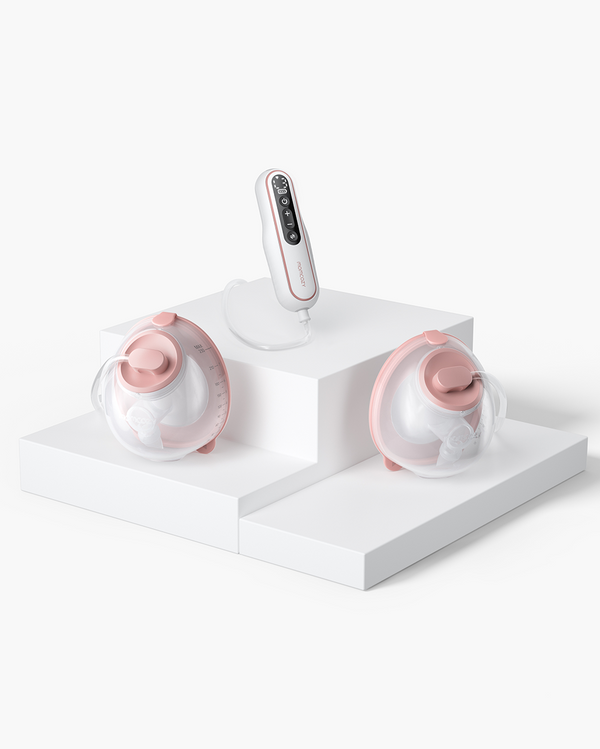
The short answer: If you are looking for the app, quietest motor and lightest body at an affordable price, then the M5 Smart is for you! If raw suction (300 mmHg) and a larger cup are more important than an app, then pick the M6. If you prefer 15 fine levels, app control and don't care about the smaller cup size, choose the M9. Buy S12 Pro Quick if you are on the smallest budget, and don't need an app, and want the largest 210 ml cup. Still deciding? Learn how to select a breast pump by lifestyle with our guide. One last thing to know: If you prefer a baser form and suction without the tech, then the M5 Lite is the same shape and suction with no app and no carry case at a reduced price.
So, is the M5 Smart a good pump?
Honest answer: for the right mom, yes. It's quiet, light, app-enabled, and priced fairly, and the four-part cleanup is about as easy as wearables get. Moms who like it cite the discretion at work and the session logs.
The fair caveats: the 160 ml cup is smaller than the M6 or S12 Pro Quick, the 9 levels are less granular than the M9's 15, and it has no warm massage (that's the W1). Independent reviewers have also noted the M5's suction pattern feels more like a "push" than a "pull" and the flange tunnel is on the shorter side, which can be tricky for elastic nipples or larger sizes. None of that is a flaw in fit-and-forget use. It's a reason to size your flange carefully and start low. One reviewer's write-up is worth reading if you want the critical take: New Little Life's 2025 Momcozy breakdown. If comfort is why you're here, the M5 Smart earns its spot.
Comfort Fit
Steady Output
Hands-Free Freedom
Easy App Control
Frequently asked questions
Can I use the M5 Smart without the app?
Yes. Each button operates all modes and levels, which means you can pump without any phone whatsoever. The app simply adds tracking and hands-free control. The M5 Smart is the one with an app; the original M5 didn't have one.
Is the M5 Smart FSA or HSA eligible, and does insurance cover it?
Yes. The M5 Smart pump is FSA and HSA approved in the USA, like other Momcozy pumps. It's also frequently covered under the Affordable Care Act (Aeroflow, 1 Natural Way) through a DME supplier, which handles the paperwork with your insurance provider. It sits at the lower end of the price range, so many plans cover most or all of the cost.
How long should I pump with the M5 Smart, and does it shut off on its own?
Most moms pump for 15-20 minutes per session, and your lactation consultant is the best person to guide you. As a safety feature, the pump shuts off automatically after 30 minutes. It does not turn off when the cup is full. If you're moving around, watch the fill line and empty when you reach about 4 oz.
How much milk does the M5 Smart hold?
Each cup holds up to 160 ml (5.4 oz). Empty when you reach the fill mark (around 4 oz), especially when walking or leaning forward, since the pour spout can overflow. The double kit gives you two cups, so you're collecting from both sides at once.
Can I lay down or sleep while pumping with the M5 Smart?
You can lean back in a chair or recline a bit, but avoid lying flat or fully reclining during a session. Wearables like the M5 Smart keep milk in a sealed cup, but tilting too far can let milk backflow toward the motor or spill from the spout. Stay mostly upright and you're fine.
Does the M5 Smart decrease milk supply?
No single pump reduces your supply. The more often and the more fully you empty, the more supply you'll have. A note: a few independent reviewers found the original M5's suction pattern and flange tunnel less effective for some moms, which can lower output indirectly. It's not the pump, it's fit and technique. Size your flange, start low, use hands-on massage, and a lactation consultant can help you troubleshoot. The suction-pattern concern is covered in New Little Life's review.
Does the M5 Smart leak or spill milk easily?
The M5 Smart has a rounded base, so it won't stand upright on its own when there's milk in it. Set it down only when empty, and when you lift it off a surface, pour or hold it upright right away. Some moms report leaks from the spout when they bend too far forward or tip past horizontal; leaks can also happen if the cup is overfilled or the motor isn't pushed down flat. Keep the four clips locked, stay upright while pumping, and empty around 4 oz when you're moving around. The flange cover helps between sessions.
Does the M5 Smart have a built-in timer?
Yes. You can see your session time right on the M5 Smart's built-in LED display, so you don't need to pick up your phone. It also has a 30-minute auto shut-off as a safety limit, and at the end of each session it logs the start time, length, and volume on daily, weekly, and monthly charts in the app, giving you a quick overview and full history.
How do I use the Momcozy M5 Smart wearable breast pump?
Assemble the clean parts, slip the pump into a well-fitting nursing or pumping bra so the flange centres on your nipple, and power it on. Start in stimulation mode to trigger letdown, then switch to expression mode once milk flows. Pump until the flow slows and the breast feels softened, then power off and detach.
How do I wear and position the M5 Smart correctly?
Centre the flange so your nipple sits in the tunnel without rubbing, and sit the cup snugly in a supportive bra that holds it flat against the breast for a good seal. Lean slightly forward when settling it in. A correct flange size and seal matter most — a poor fit causes leaks, pain, and low output.
What are the modes on the M5 Smart, and when do I use each?
It has stimulation, expression, and mixed modes. Stimulation uses fast, light cycles to trigger letdown; expression uses slower, stronger cycles to draw milk out; mixed alternates automatically. Begin in stimulation until milk lets down, then move to expression. For how suction strength relates to output, see our guide on pump suction levels.
How do I use the M5 Smart app?
Pair the pump to the app over Bluetooth, then use it to switch modes, adjust suction and cycle settings, run a timer, and track each session's duration and history. It lets you control the pump discreetly from your phone without reaching under your clothes — handy for hands-free pumping at work or on the go.
How do I charge the M5 Smart and how long does the battery last?
Charge it via the USB-C port; a full charge takes roughly 1.5–2 hours and powers several pumping sessions, depending on the modes and suction you use. Charge it before bed so it's ready for the day, and avoid pumping while charging unless the manual says it's supported.
How do I clean and sterilize the M5 Smart parts?
After every use, take apart the milk-contact pieces (flange, valve, container) and wash them in warm soapy water, then air-dry — never submerge the motor unit, just wipe it. Sterilise the washed parts once a day for a healthy baby. See our guide on sterilising breast pump parts for the full routine.
Which M5 Smart parts wear out, and where do I get replacements?
The parts that wear are the soft silicone ones — the duckbill valve, the diaphragm, and the seal — plus the flange if it cracks or clouds. Buy genuine M5 Smart replacement parts from Momcozy or an authorised seller so they fit and seal correctly. For the general wear-and-replace schedule and signs a part needs changing, see our breast pump troubleshooting guide.
Is the M5 Smart a hospital-grade breast pump?
It's a personal-use wearable pump designed for everyday pumping, not a multi-user hospital-grade machine. "Hospital-grade" refers to closed-system pumps built for shared hospital use; a personal wearable is for one user. For most mothers a wearable like the M5 Smart is ideal, while exclusive pumpers or those building supply early may sometimes also use a stronger pump.
Bottom line
The Momcozy M5 Smart offers an app that lets you track your phone, cleaning up easily in four parts, and a quiet wearable that won't make too much noise for the price. Put it together by placing the valve and the diaphragm; charge it approximately 2 hours for 6 sessions; wash it by hand (not in the dishwasher); and understand that it is a good daily driver, but not a workhorse for the hospital. Pair it with a hospital-grade pump in our hospital-grade breast pump collection or with the electric breast pump collection to create exclusive pumping or weak pumping supply.
Looking for the real deal? View the M5 Smart, or check out the entire wearable breast pump collection and compare the four side by side.