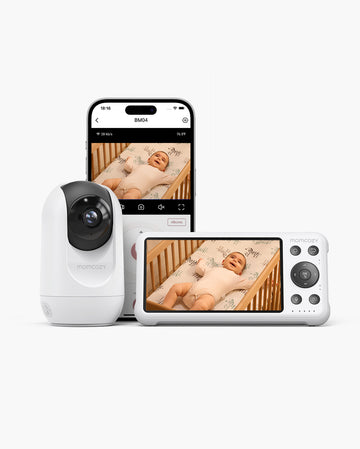
A monitor that works perfectly in the nursery can behave very differently in a hotel room, an Airbnb, a vacation rental, or a relative's guest room. The network is unfamiliar, the walls and floor plan are different, outlets may be limited, and there's often no shelf or crib rail set up exactly the way your monitor expects. The good news is that you don't automatically need separate travel baby monitors for the trip.
Start by checking whether the one you already own can connect, power on, cover the distance, and sit or mount safely in that temporary space. If it passes those checks, pack it and go. If it doesn't, this guide will help you figure out exactly what to look for instead.
Key Takeaways
- A separate travel baby monitor is not always necessary; first verify whether your current monitor can connect, power, cover and sit safely in the temporary space.
- Local or no-WiFi monitoring reduces internet dependency, while Wi-Fi and app viewing can be useful when remote access matters and the destination network is compatible.
- Travel makes battery, camera power, real-world range, packability and temporary placement more important because the room and network are no longer under your control.
- Audio-only monitoring can be a practical lighter option when hearing the baby is enough; video is more useful when visual context changes whether you need to go in.
- Test the monitor before leaving and again after arrival so connection, range and placement problems are discovered before nap or bedtime.
Do You Need a Separate Baby Monitor for Travel?
Not always. The first move isn't shopping, it's testing what you already have. Before you decide anything about a second monitor, try setting up your current one in a room at home that's roughly similar in size to where you'll be sleeping on the trip, and see how it behaves.
A few things are worth thinking through as you pack: how long the trip is, what kind of accommodation you're staying in, and how far you realistically expect to be from the baby's room during naps and at night. A weekend at a relative's house with known WiFi is a very different situation from a week in a rental with three floors and spotty internet.
A separate travel monitor only makes sense once your current setup fails a specific, travel-related requirement, not because "travel monitor" sounds like a smart thing to buy in advance. If you decide you do need a simpler backup, the portable baby monitor options are worth browsing once you know exactly what gap you're filling.

When Your Home Monitor is Probably Enough
If your monitor already works over local WiFi or a direct connection you control, has a parent unit with a battery that lasts through a normal night, and its camera can sit on a dresser, shelf, or crib-mounted stand without special hardware, there's a good chance it will travel just fine.
When a Simpler Travel Setup May Be Worth It
If your monitor depends on a home WiFi network tied to a fixed address, needs a bulky base station, or requires a specific wall mount that won't exist in a hotel room, it may be more trouble than it's worth to bring along.
What Changes When You Monitor Away From Home?
Traveling changes the environment around the monitor more than it changes the actual task of listening or watching. The table below breaks down what typically shifts.
|
Variable |
At Home |
While Traveling |
|
Network |
Known WiFi, already set up |
Unknown WiFi, possible login page or none at all |
|
Walls and layout |
Familiar distances and floor plan |
Different room shapes, extra floors, thicker or thinner walls |
|
Outlets |
Positioned where you need them |
Sometimes limited, awkwardly placed, or shared with other devices |
|
Mounting surface |
Shelf, dresser, or crib rail already set up |
May not exist; furniture varies by property |
|
Packing space |
Not a factor |
Camera, parent unit, cables, and mounts all need to fit in a bag |
|
Caregiver location |
Usually one or two rooms away |
Could be a balcony, a downstairs living room, or a different suite |
Not every one of these will apply to every trip. A weekend at grandma's house with a spare crib might only change one variable (the room), while an international rental could change nearly all of them at once. Identifying which ones actually apply to your trip is the first real step, before you worry about connection type or range.

WiFi or No WiFi for Hotels, Airbnbs, and Family Homes?
Neither option is universally better for travel. A local, no-WiFi connection reduces how dependent you are on whatever network exists at your destination. A WiFi or app-based connection can be genuinely useful when you want to check in remotely, but only if the destination network is stable and compatible with your model.
|
Local / No-WiFi |
WiFi / App-Based |
|
|
Works without internet |
Yes |
No |
|
Useful for checking in from another room, floor, or the lobby |
Limited to signal range |
Yes, if network holds up |
|
Setup complexity in a new location |
Usually simple pairing |
Depends on network login, account, and app permissions |
|
Best fit |
Hotels with unreliable or gated WiFi, international stays with limited internet |
Homes with known, stable WiFi where remote access matters |
Hotel and rental networks can come with captive login portals, band restrictions, or simply weaker signal than you're used to at home. That doesn't mean hotel WiFi always fails, but it's a real enough pattern that it's worth verifying your model's specific network requirements before you leave. A relative's home is usually the most predictable of the three, since you likely already know their WiFi works and is available to guests.
When Local or No-WiFi Is the Simpler Travel Choice
If your main goal is just hearing or seeing the baby from an adjoining room, and you'd rather not deal with hotel login pages, a local connection removes one variable entirely.
When WiFi or App Access Is Worth the Extra Dependency
If you want to peek in from downstairs while your family gathers for dinner, or you're comfortable troubleshooting a network login once you arrive, app-based access can be worth the setup step.
For the complete breakdown of how these connection types work in general, see this guide on WiFi vs non-WiFi baby monitors.
Will Your Current Monitor Work on the Trip? A 60-Second Decision Check
Before you buy anything, run through these six checks.
|
Check |
Ask Yourself |
|
Connection |
Does it need home WiFi specifically, or can it pair locally at any location? |
|
Power |
Does the camera need to stay plugged in, and how long does the parent unit's battery actually last? |
|
Range |
How far will you realistically be from the baby's room, and does the monitor's real-world range cover that? |
|
Placement |
Is there a stable surface or compatible mount in a typical hotel room or rental bedroom? |
|
Packability |
Do the camera, screen, cables, and any mounts fit reasonably in your luggage? |
|
Monitoring detail |
Do you need video, or would audio alone tell you what you need to know? |
A checklist can't guarantee performance in a building you haven't seen yet, so treat this as preparation, not a promise. If two or more checks come back uncertain, it's a reasonable signal to look at a more travel-friendly monitor before you go, rather than finding out at check-in.
Battery and Power: Which Part Actually Needs to Be Cordless?
It's easy to assume "wireless" means every part of the monitor can run without an outlet, but that's rarely true. The camera and the parent unit have separate power needs, and it's worth checking both.
- Confirm whether the camera is designed to stay plugged in continuously, or whether it can run on battery for short stretches.
- Check how long the parent unit's battery actually lasts when you're carrying it around instead of leaving it docked.
- Remember that screen brightness, night vision, and always-on video modes can all shorten battery runtime compared to audio-only or motion-triggered settings.
- If you're traveling internationally, verify your exact model's plug compatibility and voltage requirements in the manual before you rely on it, rather than assuming a standard adapter will work.
Parent-unit Battery
This is usually the part people expect to be cordless, since it's the piece you carry from room to room or out to the patio. Runtime varies a lot depending on screen use and settings, so a quick overnight test before you travel is worth the few minutes it takes.
Camera Power
The camera is more often the piece that still needs an outlet, even on monitors marketed as portable. Don't assume otherwise until you've checked the spec sheet or manual for your specific model.
International Power Planning
Only make claims about plug adapters or voltage compatibility once you've confirmed them against your monitor's actual manual. This varies by model and shouldn't be guessed.
Range Is a Building Question, Not Just a Number
Advertised range numbers are usually measured in open, line-of-sight conditions, which is almost never what a hotel hallway or a two-story rental looks like. Walls, floors, and other electronics can all cut into how far a signal actually reaches indoors.
Start by mapping out where you'll realistically be relative to the baby's room. If you're planning to sit on a patio, a balcony, or a floor below during naps, that's a very different test than sitting in the room next door. Hotels in particular can have dense construction and long corridors that reduce usable range more than a similar-sized house would.
None of this means you need the monitor with the highest number on the box. A sound-first approach, where you rely primarily on audio and only check video occasionally, can reduce how much you need to worry about exact range in the first place. For a full explanation of how walls, floors, and interference affect signal strength, see this guide on baby monitor range.

Temporary Placement and Mounting: Plan Before Bedtime
Arriving somewhere new and realizing there's no shelf, dresser, or crib rail that fits your monitor's mount is one of the most common travel frustrations parents report. It's worth thinking through before you're standing in the room at 8pm trying to improvise.
- Look for a stable, flat surface with a clear view of the sleep space before you commit to a spot.
- Check whether any stand, clip, or tripod you're bringing is actually compatible with the room's furniture, not just your own crib at home.
- Plan your cord route in advance so the camera isn't balanced somewhere unstable just to reach an outlet.
- Skip forum-suggested hacks involving furniture stacking or improvised mounting. If nothing safe and stable is available, it's better to reposition than to force a setup.
Tabletop or Shelf
The simplest option in most hotel rooms and rentals, assuming there's a dresser or nightstand within view of the crib or bed.
Travel Stand, Clip, or Tripod
Useful if you're bringing your own mounting solution, but only if it's confirmed compatible with your specific camera model. Heavier battery-powered cameras can be less stable on lightweight travel mounts.
When to Route to Full Placement Guidance
For complete guidance on distance, angle, and cord safety beyond travel-specific setup, see this article on where to put a baby monitor.
Audio or Video for Travel: How Much Monitoring Do You Actually Need?
|
Audio-Only |
Video |
|
|
Best for |
Simply hearing when the baby wakes or fusses |
Situations where seeing the room changes what you do next |
|
Gear and packing |
Lighter, fewer components |
Camera, screen, sometimes app setup |
|
Battery impact |
Generally lighter on battery |
Screen and night vision use more power |
|
Good travel fit |
Trips where you mainly need reassurance through sound |
Unfamiliar spaces where visual context matters, like shared rooms or new sleep setups |
Sound-first monitoring comes up often among parents who travel frequently, mainly because it simplifies the whole setup. Audio-only isn't a downgrade so much as a different tool for a different need. Video earns its extra weight and power draw specifically in situations where hearing something isn't enough to tell you whether to go check on the baby.
When Audio-only Is Enough
If you mainly want confirmation that the baby is awake or unsettled, and you're close enough to walk over and check visually yourself, audio can cover the job with less gear.
When Video Is Worth the Extra Setup
If you're farther away, such as downstairs or on a patio, or if the room has an unfamiliar layout that makes it harder to guess what's happening from sound alone, video adds real value.
Match the Setup to the Place You Are Staying
The right setup can change depending on where you're actually staying, even for the same family on the same trip.
|
Accommodation Type |
Key Variables to Check |
|
Hotel or suite |
Network login predictability, outlet placement, distance to a nearby balcony or connecting room |
|
Airbnb or vacation rental |
Multiple rooms or floors, patio or yard range, unfamiliar WiFi |
|
Grandparents' or family home |
Often known, stable WiFi that makes app access easier; room location still matters |
|
International or low-connectivity stay |
Local or no-internet capability may become the most important requirement |
None of these scenarios involve leaving a baby unattended somewhere out of reasonable reach. The goal is matching your monitor's connection, range, and placement to wherever you'll realistically be within safe caregiver proximity, not extending how far away you can be. Once you've identified which scenario matches your trip, go back through the 60-second decision check above with that specific setting in mind.
Pre-Trip and Arrival Checklist
Before you leave:
- Update the monitor's firmware or app if applicable, and fully charge both the camera and parent unit.
- Confirm any account or app login you'll need is active and accessible from your phone.
- Pack all cables, stands, adapters, and mounts, not just the camera and screen.
When you arrive:
4. Choose a stable placement with a clear view before doing anything else.
5. Confirm the camera has reliable power, whether that's an outlet or a charged battery.
6. Pair or connect the devices, then walk to where you'll actually be sitting or sleeping and test the range.
7. Verify audio, video, and any alerts are working as expected before relying on the setup overnight.
If the setup fails:
8. Decide whether a simpler, more portable, or audio-only alternative solves the specific problem you ran into, rather than assuming you need to replace the whole monitor. If it turns out you do, the portable monitor collection is a reasonable next stop.
Member price
$219.99$249.99Kodem Zaoszczędź $20
Frequently Asked Questions
Can I use my regular baby monitor while traveling?
In many cases, yes, as long as it passes the connection, power, range, and placement checks above for your specific destination.
Do baby monitors work internationally?
It depends on the model's power compatibility and whether it needs internet access. Check the manual for voltage and plug requirements before relying on it abroad.
Can I bring a baby monitor in a carry-on?
Rules around batteries and electronics can change, so check current airline and TSA guidance before your trip rather than assuming past experience still applies.
Do I need a baby monitor in a hotel if the baby is sleeping in the same room?
Not necessarily. A monitor is most useful when there's distance between you and the baby, so room-sharing may reduce or remove that need.
Can I use a travel baby monitor without WiFi?
Yes, local or direct-connection monitors are built specifically to work without relying on the destination's internet.
Should I bring an audio monitor as a backup?
It can be a reasonable lightweight backup, especially in situations where your primary monitor's connection or range is uncertain.
Conclusion
The best travel setup isn't necessarily the one with the most features, it's the simplest arrangement that actually works at your destination. Before buying anything new, run through the six checks: connection, power, range, placement, packability, and how much monitoring detail you genuinely need. If your current monitor passes, bring it and skip the extra gear. If it fails on a specific point, look for the simplest fix for that exact gap rather than a complete upgrade.
If you'd rather compare the full range of options, the baby monitor collection covers the broader category, and the how to choose a baby monitor guide is a good next stop for general buying criteria beyond travel.