The best place to put a baby monitor is an elevated, stable spot that gives you a full view of the crib or sleep area while keeping the camera, mount, and every cord completely out of your baby's reach. For many nurseries, that means a wall opposite the crib, a side wall angled toward the mattress, or a high, anchored shelf. Avoid placing the monitor inside the crib, on the crib rail, directly above the crib, or anywhere a baby or toddler could pull it down.
Placement matters because it affects safety, visibility, signal quality, night vision, and how much you can trust the monitor during naps and nighttime check-ins. A thoughtful setup helps parents see more clearly without creating new hazards.
Key Takeaways
Keep all monitor parts and cords at least 3 feet away from the crib, bassinet, play yard, or any sleep area; more distance is better once your baby can reach, stand, or climb.
Choose an elevated angle that shows the full mattress surface, not just your baby's face.
Route cords upward first, then across and down, so no slack hangs near the crib.
Test the day view, night view, audio, alerts, and Wi-Fi signal before treating the setup as final.
Recheck placement as your baby grows from newborn to rolling infant to standing toddler.
Use smart features as observation tools, not as a substitute for safe sleep practices or direct supervision.
Important Safety Note
Baby monitors can help caregivers hear, see, or check on a baby from another room, but they do not replace direct supervision, safe sleep practices, or advice from your pediatrician. The U.S. Consumer Product Safety Commission advises keeping all monitor parts and cords out of reach and at least 3 feet away from babies and young children. CPSC guidance and Safe to Sleep guidance also warn that home heart, breathing, motion, or other monitors should not be used as a primary way to detect or prevent SIDS. Safe to Sleep FAQ Always follow your specific monitor manual and your child's health care guidance.
Why Placement Is More Than Just a Good View
Safety first. A clear camera angle is not worth it if the monitor or cord becomes reachable. Babies learn to roll, scoot, pull up, and grab faster than many parents expect.
Fewer false alarms. Poor placement can trigger alerts from curtains, moving shadows, ceiling fans, humidifier mist, pets, or street lights. Better placement makes notifications easier to trust.
More reliable signal. Some issues blamed on a weak monitor are actually placement problems. Thick walls, mirrors, metal furniture, routers, and large appliances can interfere with signal quality.
Better night performance. Infrared night vision works best when the lens is not pointed directly at windows, reflective surfaces, bright night lights, or street glare.
Calmer check-ins. A good setup lets parents observe first before entering the room, which can be helpful during naps, bedtime routines, or sleep training.
Placement is the foundation for everything else, from sleep training routines to quick checks during naps. It also determines how often you will feel the need to walk in “just to be sure.”
How Far Should a Monitor Be from a Baby?
At least three feet away from any part of the crib, bassinet, or play yard. This is the minimum safe distance recommended by the Baby Safety Foundation to prevent strangulation hazards from cords. Three feet might not sound like much, but it's crucial. Babies grow quickly, and what seems safe today becomes dangerous tomorrow when they start reaching and grabbing. Even wireless monitors need this distance since curious toddlers will pull down anything within reach.
Quick Placement Decision Table
Placement Option
Best For
Benefits
Safety Checks
Wall opposite the crib
Most standard nurseries with a clear opposite wall
Full crib view, stable angle, easy to keep away from the sleep area
Do not mount directly above the crib; route cords tightly and away from reach
Side wall angled toward the crib
Rooms with windows, doors, or outlets on the opposite wall
Flexible angle; can reduce glare and blind spots
Confirm the camera shows the full mattress, not just one side
High anchored dresser or shelf
Renters or parents avoiding wall drilling
Easy to adjust and test before final placement
Use only stable, anchored furniture; keep monitor away from edges
Tall bookshelf or fixed stand
Large rooms or temporary setups
Can provide height without permanent mounting
Anchor furniture and keep cords flat against the wall
No-drill adhesive mount
Smooth painted walls where drilling is not allowed
Removable and clean if installed correctly
Use manufacturer-rated strips, test firmly, and inspect adhesion often
Factors to Consider When Placing a Baby Monitor
5 Key Factors to Consider When Placing a Baby Monitor
Smart placement requires evaluating your unique space. Here are the essential factors that influence where your monitor should go.
Room Layout & Size
Your nursery's dimensions significantly impact monitor placement.
Small rooms: good coverage from any wall
Large rooms: need strategic positioning
Consider furniture, doorways, windows
Ensure unobstructed camera views
Electrical Outlet Access
Even wireless monitors need continuous power for uninterrupted monitoring.
Look for outlets near optimal positions
Use properly secured extension cords if needed
Consider battery backup options
Wi-Fi Signal Strength
Smart monitors require strong WiFi for reliable connections.
Test signal strength before mounting
Avoid dead zones
Consider WiFi extenders if needed
Reposition router if necessary
Lighting Conditions
Natural and artificial lighting dramatically affects video quality.
Avoid direct sunlight
Position away from street lamps
Balance light for night vision
Keep away from bright night lights
Baby's Age & Mobility
Developmental stage shapes your placement strategy.
Newborns: close-up face visibility
Rolling infants: wider angles
Toddlers: higher placement, wide views
Adjust as your baby grows
Ready to Set Up Your Monitor?
Evaluate these five factors in your nursery before choosing the perfect spot. Smart placement today means safer monitoring tomorrow.
Baby Monitor Placement by Monitor Type
Different monitor types need slightly different placement priorities. Start with safety and visibility, then adjust for connection type and features.
Monitor Type
Placement Focus
What to Test Before Daily Use
Video baby monitor
Clear crib view, safe distance, stable angle, and cord management
Day view, night vision, audio clarity, parent-unit range, and blind spots
Wi-Fi baby monitor
Strong Wi-Fi signal, app viewing reliability, and safe power routing
App live view, loading speed, alerts, account settings, and signal strength
Contact-free smart baby monitor
Stable position, clear sleep-area view, minimal obstruction, and reliable connection
Camera view, smart notification behavior, app access, and whether rails, bedding, furniture, or glare block detection
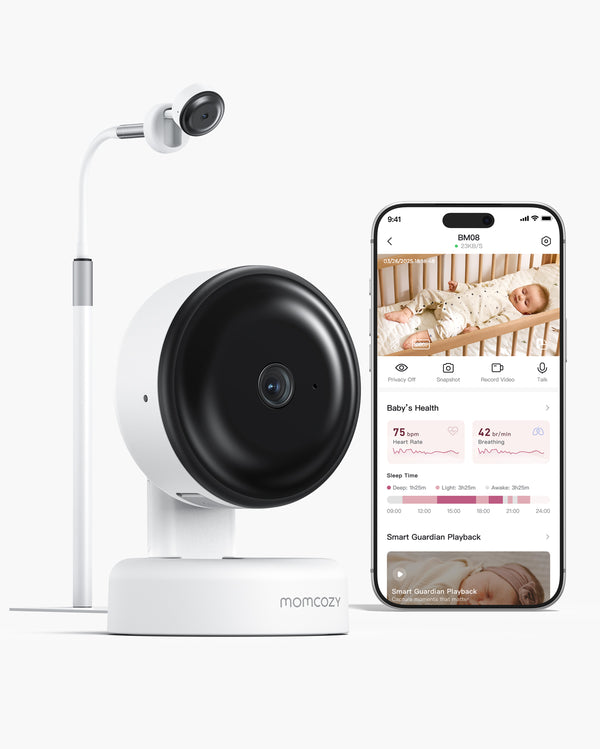
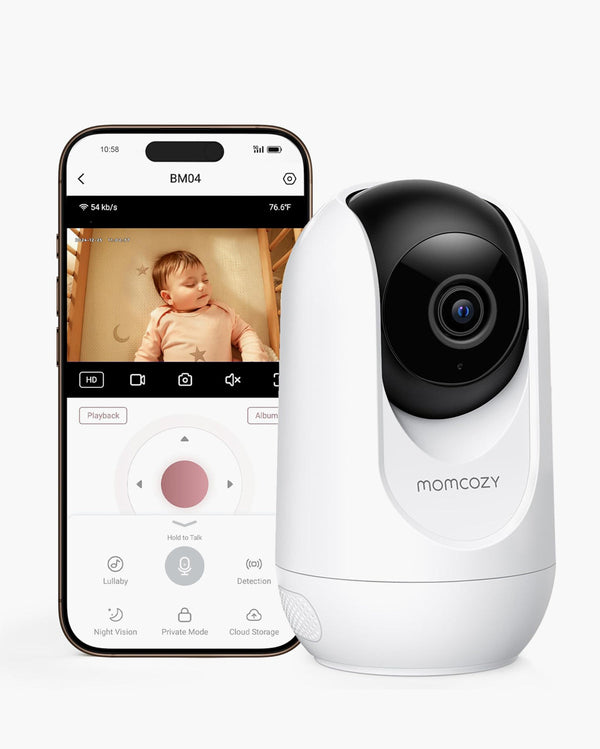
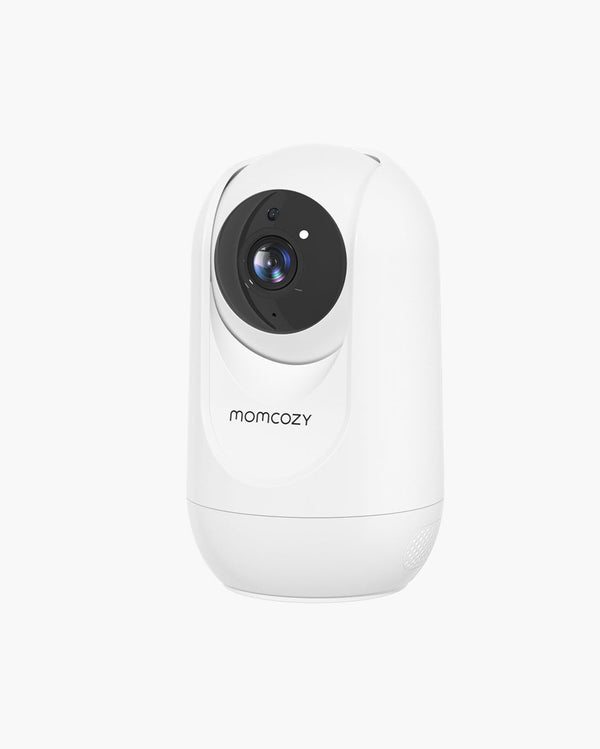
For Momcozy users, BM01 and BM03 are better starting points for local video monitoring, BM04 suits families who want both a parent unit and app-based flexibility, and BM08 is the model to consider if you want contact-free smart monitoring without socks, patches, or wearable sensors. Treat model recommendations as setup guidance, not a replacement for checking the current product manual and specifications.
Each nursery has unique characteristics, but certain locations consistently work best.
On the Wall Opposite the Crib
Mount your monitor on the wall directly across from the crib for a straight-on view capturing the full sleeping area. This popular placement provides clear, unobstructed frontal views showing your baby's face and body position while minimizing blind spots. Works beautifully in small to medium nurseries where the opposite wall sits within optimal viewing distance.
On a Side Wall Adjacent to the Crib
When opposite walls aren't suitable due to windows, doors, or outlets, side walls work effectively. Angle the camera to capture the full crib, not partial views. The Momcozy BM04 suits side wall placement perfectly with remote pan and tilt features allowing angle adjustments without physical repositioning.
On a Dresser or Shelf
For flexibility or rental situations where drilling isn't possible, sturdy dressers or shelves offer practical alternatives. The furniture must be stable and secured to walls with anti-tip brackets. Position monitors at surface backs, never near edges, at least 3 feet from cribs. Secure all cords properly.
On a Tall Bookshelf
Tall bookshelves against walls serve as excellent monitor locations when wall mounting isn't feasible. They naturally achieve the ideal 5-6 foot height while providing stability when properly secured. Always anchor tall furniture to walls preventing dangerous tip-overs as babies grow into climbing toddlers.
Where to Place a Contact-Free Smart Baby Monitor Like BM08
A contact-free smart baby monitor works best from a stable position with a clear, unobstructed view of the baby's sleep area. It should not be moved frequently once you find a reliable angle. For a Wi-Fi/app-based model such as the Momcozy BM08, the placement also needs a strong connection to the app.
Before finalizing the setup, open the app and check the live view from the actual camera position. Confirm that crib rails, blankets, furniture, mirrors, windows, or moving shadows do not block the lens or interfere with the area being monitored. Recheck the view after changing bedding, moving the crib, or adjusting nursery furniture.
BM08 and similar contact-free smart monitors should be used as everyday observation tools. They are not medical devices, do not prevent sleep-related risks, and should not replace safe sleep practices or caregiver judgment.
How to Mount a Baby Monitor on the Wall?
Wall mounting sounds intimidating, but the process is simple when you plan the angle first.
Here is a step-by-step wall mounting guide:
Pick the viewing goal. Full crib and mattress surface comes first.
Mark your height. Start around 5 to 7 feet from the floor.
Test the angle before drilling. Hold the camera in place and check the parent unit or app view.
Mount the bracket. Follow the included template if your monitor has one.
Lock in the cable route. Run cords upward first, then across, then down, so slack never hangs near the crib.
Recheck day and night view. Do a lights-off test to confirm no glare.
If you are choosing a baby monitor, think about how often you expect to move the camera. A fixed wall mount is great for long-term nursery use. If you anticipate switching rooms often, plan mounting points that still let you reposition cleanly.
How to Hide a Baby Monitor Cord Safely?
Cord concealment should never make the setup less safe. The goal is not just to make the nursery look clean; it is to keep loops, slack, adapters, and loose cord sections out of reach.
Use wall raceways or cable channels to keep cords flat against the wall.
Use cord clips every 12 to 18 inches so the cord cannot sag.
Route cords behind anchored furniture only if the furniture is stable and cannot tip.
Never drape cords over crib rails, behind crib slats, or near the mattress.
Check cord routing regularly as your baby starts rolling, crawling, standing, or climbing.
Replace damaged cords immediately and use only compatible power adapters recommended by the manufacturer.
Baby Monitor Placement: Newborn vs. Toddler
Your baby's changing abilities require different monitoring approaches.
Newborn Placement (0-6 months)
Focus on close monitoring of breathing, facial expressions, and subtle movements. Position 4-5 feet from cribs for detailed visibility. Mount at 5 feet high for clear crib views angled downward capturing faces and chests. Fixed-position monitors work well since newborns don't move around.
The Momcozy BM01 Baby Monitor is ideally designed for newborn monitoring with high-resolution displays capturing tiny details. Excellent night vision ensures clear breathing pattern checks even in complete darkness.
Infant and Rolling Baby Placement
Once a baby starts rolling or shifting around the crib, a wider view becomes more useful than a tight close-up. Adjust the camera so the full mattress surface is visible. This helps parents see whether the baby is simply moving between sleep cycles or needs attention.
Toddler Placement (12+ months)
Focus shifts to tracking movement, preventing climbing hazards, and ensuring safety in larger areas. Position 5-6 feet from cribs for wider coverage. Mount higher at 5.5-6 feet, completely out of reach. Angle to capture entire cribs and surrounding floor areas. Pan-tilt cameras (monitors with remote directional control) follow movement effectively.
The Momcozy BM04 Baby Monitor excels during toddler years with remote pan, tilt, and zoom functions. Adjust views from parent units without entering rooms, tracking active toddlers wherever they move.
Rather than making multiple adjustments, consider placing monitors in toddler-ready positions from the start. Modern high-resolution monitors in the Momcozy Baby Monitor Collection provide clear images even at greater distances.
Locations to Avoid While Placing a Baby Monitor
Knowing where not to place monitors matters as much as knowing ideal locations.
Directly Above the Crib
Creates direct falling hazards if mounts fail. Cords could reach into cribs. Standing toddlers may grab devices. Mounting hardware failure could result in devices falling on babies.
Near Windows or Direct Sunlight
Direct sunlight washes out camera images. Extreme temperatures near windows damage electronics. Drafts and condensation affect device performance. Privacy concerns arise when outsiders see monitor indicator lights. Use blackout curtains if windows are your only option, ensuring cameras face away from windows.
Near Heating/Cooling Vents
Heat damages electronic components shortening device lifespans. Moving air creates noise interfering with audio monitoring. Temperature fluctuations affect battery performance. Dust from vents clouds camera lenses over time.
In Areas with Poor Wi-Fi Coverage
Weak signals cause frequent disconnections requiring constant resets. Laggy, frozen video defeats real-time monitoring. Failed notifications occur when babies need you. Test signal strength before committing to locations.
Steps to Hang a Baby Monitor on the Wall Without Drilling
Not everyone can or wants to drill walls. Renters and those preferring non-permanent solutions have effective options.
Use Heavy-Duty Command Strips
Adhesive strips now support heavier items when used correctly. Choose strips rated for double your monitor's weight and clean wall surfaces thoroughly with rubbing alcohol. Follow package instructions precisely, press brackets firmly for 30 seconds, and wait one hour before attaching monitors.
Important considerations: Weight capacities vary by strip type. Works best on smooth painted walls, since textured surfaces and wallpaper reduce effectiveness. Temperature and humidity affect adhesion over time.
Install Shelving Brackets
Small floating shelf brackets with heavy-duty drywall anchors create stable platforms positioned exactly where needed. This method is easier to adjust than permanent mounts while providing reliable support.
Position Freestanding Camera Stands
Specialized stands offer completely damage-free solutions with heavy stable bases, adjustable height, cable management clips, and angle adjustability. Place on dressers, shelves, or floors where stable and capturing desired views.
Safety reminders for non-drilled mounts: Test installations thoroughly with firm pulls. Check adhesives and connections weekly. Ensure babies can't reach monitors as they grow. Keep original stands as fallback options.
BM08 Placement Checklist
Choose a stable location with a clear view of the crib or sleep area.
Keep the camera, mount, adapter, and cords at least 3 feet away from the crib and fully out of reach.
Test the live view in the Momcozy app before finalizing the position.
Confirm the Wi-Fi signal is strong at the exact camera location.
Avoid window glare, mirrors, moving curtains, humidifier mist, blankets, or furniture blocking the lens.
Recheck placement after moving the crib, changing bedding, or adjusting nursery furniture.
Use contact-free smart insights as supporting information only, not as medical or safety guarantees.
Choose the Right Momcozy Monitor for Your Setup
Keep the product guidance short and secondary to the safety rules. Once the nursery setup is safe and practical, you can compare models by how you want to check in.
Nursery Need
Momcozy Option to Compare
Why It May Fit
App-based check-ins from another room or while away
BM08 or BM04
Wi-Fi/app viewing supports flexible smartphone check-ins when the connection is stable.
Contact-free smart monitoring without wearables
BM08
Designed for contact-free sleep insights and smart notifications without socks or patches.
Simple local video monitoring
BM01 or BM03
Dedicated parent-unit viewing can be useful for families who do not want to rely on home Wi-Fi.
More than one viewing area
BM01, BM03, or BM04
Multi-camera or split-view support depends on the specific model and setup.
Q1. Is It Safe to Mount Baby Monitors With Removable Hooks and Command Strips?
Yes, when used properly within the weight capacity. Find adhesive strips with a double weight capacity beyond your monitor's weight and follow the instructions to a tee. They are best used with smooth, painted walls, but will deteriorate over time. So, check them weekly for signs of paint peeling.
Q2. At What Height and Angle Should I Fix the Baby Monitor?
Mount at 5-6 feet high with a 30-45 degree downward angle. This height keeps cameras above toddler reach while providing clear views of baby faces and chests. Adjust the angle while viewing the feed to ensure you see the entire sleeping area clearly.
Q3. Where Is the Safest Place to Put a Baby Monitor?
Wall-mounted 4-6 feet from the crib at 5-6 foot height with cords secured at least 3 feet away. Never mount directly above the crib where it could fall. If wall mounting isn't possible, use a sturdy dresser or bookshelf secured to the wall with anti-tip brackets.
Get Your Monitor Placement Right
Correct placement allows your baby monitor to go from basic to a valuable safety aid. It is worth taking the time to place your camera thoughtfully, seeing that all cords are secured, as well as adjusting for changes as your child grows. Don't leave your baby's safety to chance and evaluate your current setup now. Move that monitor if it's too close, secure loose cords, and ensure clear views of the entire sleeping area. Your peace of mind depends on getting these details right from the start.
Disclaimer
The information provided in this article is for general informational purposes only and does not constitute medical advice, diagnosis, or treatment. Always seek the advice of your physician or other qualified health provider regarding any medical condition. Momcozy is not responsible for any consequences arising from the use of this content.