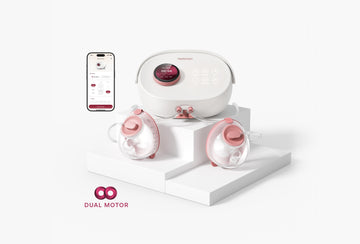
The Momcozy V3 app brings phone control and milk tracking into the same pumping routine. That can be useful when you want to make an adjustment without reaching across your desk, or look back at your records after a busy day. The value is practical: fewer details to remember and another way to manage the pump you are already using.
Before choosing a smart breast pump, though, it helps to separate the pump’s physical design from its connected features. An app does not tell you whether a pump needs a wall outlet, whether its collectors fit inside your bra, or whether every number on a chart was measured automatically. Those are different questions.
This guide covers the V3 features described on Momcozy’s product and brand pages, with practical suggestions for deciding how they fit your day. It focuses on control, comfort, and useful records rather than unverified connection screens or menu instructions.
Quick Answer
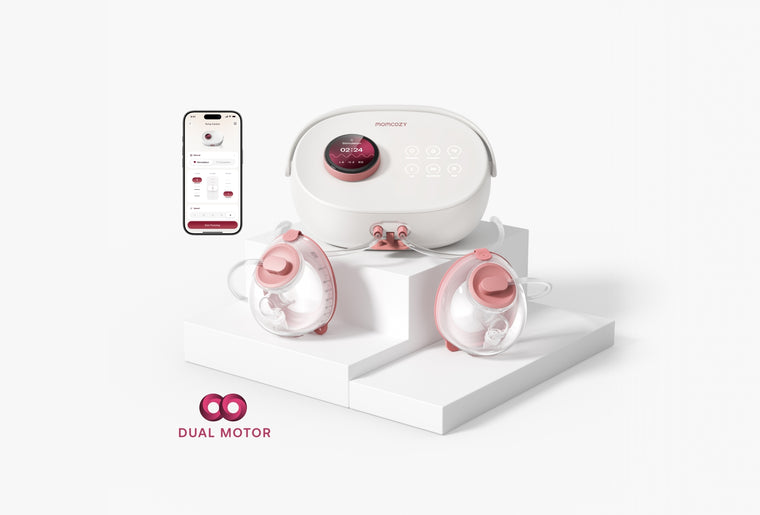
The Momcozy V3 double electric breast pump supports app-based suction adjustment, mode changes, milk-volume logging, and trend charts. It also has controls on the main unit. Its hands-free collectors work with a plug-in tabletop pump. Connected tracking should not be treated as proof of automatic milk measurement.
Before You Connect
Start with your pumping routine
Think about where you normally pump and what you want your phone to help you do. Perhaps you pump beside a laptop and would rather keep your controls close at hand. Perhaps the bigger problem is remembering the day’s milk output. Someone else may prefer to put their phone away during each session and review records later.
These are different reasons to use an app, and none requires you to use every available feature. Choose the functions that solve an actual problem in your day. A complicated routine is harder to repeat when you are tired, interrupted, or getting ready to leave the house.
Before making app features a buying priority, ask yourself:
- Where will the pump sit during most sessions?
- Is an outlet available in that location?
- Would phone control make adjustments easier to reach?
- Do I want to record milk output regularly?
- Am I looking for one pump or a routine that includes several?
Understand what hands-free means
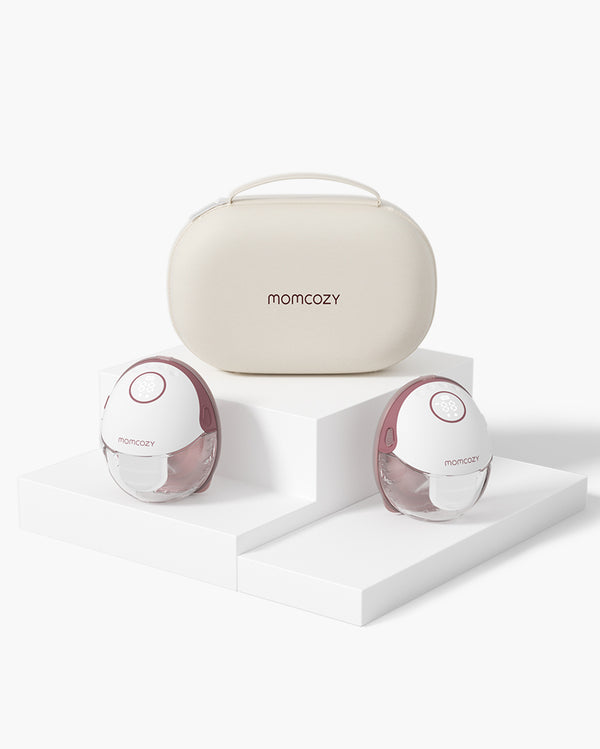
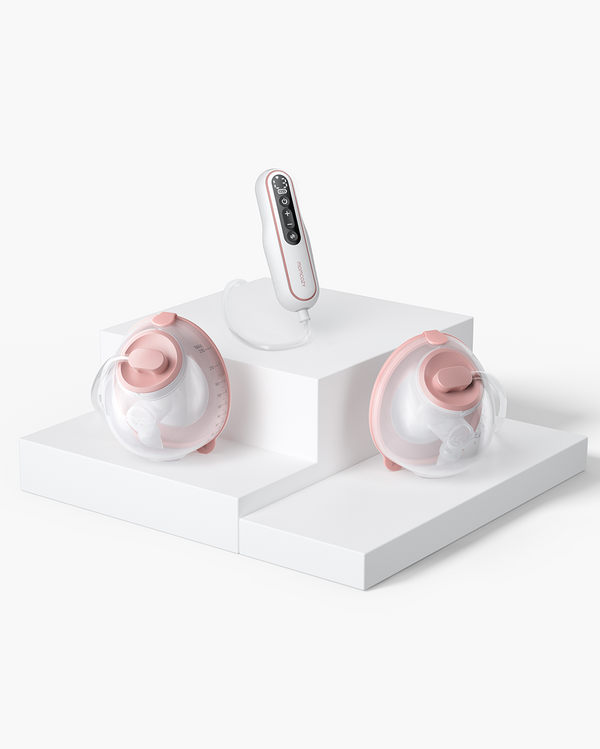
V3 uses collectors worn inside a bra, while its tabletop main unit plugs into the wall. That makes it a hands-free breast pump for stationary use; it does not make the whole system a cordless wearable breast pump.
When comparing options in the Momcozy breast pump collection, consider power and mobility alongside app features. A comfortable spot beside an outlet may suit desk sessions well. If your main priority is moving between locations, that is a separate requirement to evaluate before buying.
Keep the setup expectations realistic
The product pages establish app compatibility, but they are not a screen-by-screen Momcozy V3 app setup manual. They do not provide enough detail to reproduce a verified pairing sequence, phone permission checklist, or operating-system compatibility table here.
For readers searching how to connect Momcozy V3 to app, the useful distinction is between confirmed compatibility and the instructions needed to complete a connection. Follow the current instructions supplied for your device. An older screenshot or a tutorial for another model may look familiar without describing your pump correctly.
What the Momcozy V3 App Can Do
The confirmed functions fall into two groups: controlling a session and keeping a record of pumping. Thinking about them separately makes it easier to decide what you need from a connected electric breast pump.
| Your priority | Confirmed V3 capability | Practical question |
|---|---|---|
| Make adjustments from your phone | Suction adjustment and mode changes | Is the phone easier to reach? |
| Keep track of output | Milk-volume logging | Will I record consistently? |
| Review previous pumping | Charts showing trends | Are the records complete enough to compare? |
| Use more than one pump | Cross-device tracking | Are my chosen models compatible? |
| Pump without phone control | Main-unit screen and dial | Would direct controls suit this session better? |
A useful way to evaluate these features is to imagine one ordinary session rather than an ideal day. You have a place to sit, the equipment ready, and a limited amount of uninterrupted time. Which action would be easier on your phone? Which would you rather do directly on the pump?
The answer may change. At a desk, your phone might already be beside your keyboard. During a quiet evening session, you may want fewer notifications and less screen time. Convenience depends on the situation, so it is reasonable to choose a different approach at different times.
Phone control and direct control
The V3 product experience page describes both app control and operation through the machine’s screen and physical dial. Phone control is therefore an option within the routine, rather than the only way to operate the pump.
That flexibility matters when considering how much technology you actually want involved. Some people enjoy reviewing numbers immediately; others would rather finish pumping first. A connected feature is most useful when it reduces effort, not when it creates another task you feel obliged to complete.
Control a Pumping Session with Comfort in Mind
Separate strength from pumping pattern
The V3 product page describes independent left and right suction strengths while both sides share the same pumping mode and speed. This distinction helps explain what separate control means: it allows different strengths without implying that each side runs an entirely separate pumping pattern.
For example, wanting a gentler feeling on one side is a different decision from wanting to change the session’s overall rhythm. Keep those questions separate when thinking about adjustments. Otherwise, it becomes easy to change several things at once and lose track of what you were trying to improve.
An adjustment should have a purpose you can describe in ordinary language: “This side feels too strong,” or “I want to understand this setting better.” You do not need to chase a particular number simply because the pump offers it. A setting is a control, not a score.
Avoid turning customization into a target
More options can be helpful, but they can also make a first session feel like a test. Give yourself room to learn the equipment without deciding immediately which combination is best. It is easier to describe your experience when you focus on one question at a time.
Consider keeping a brief personal note about comfort outside the app if needed. The note does not have to be detailed: “Comfortable at my desk” or “Needed to adjust my position” may be more useful later than an unexplained list of numbers. This is a suggested recordkeeping habit, not a claim that V3 provides a particular notes field.
If you need help making pumping work for you, the CDC’s guidance on pumping breast milk recommends speaking with a lactation support provider. A conversation about your routine can address questions that a control screen cannot answer.
Keep attention on the physical session
A phone offers a convenient place to interact with equipment, but it can also pull attention toward messages, work, and other tasks. Decide beforehand whether you want the phone mainly for controls or whether you are comfortable using it for something else during the session.
Consider the practical arrangement of your space: somewhere stable for the main unit, a comfortable seat, and enough room for the items you will need afterward. App convenience is only one part of that arrangement. It does not replace the ordinary work of making a pumping space usable.
Log Milk Output and Review Pumping Trends
Know what a record represents
Milk-volume logging and trend charts are described on the product pages. Those descriptions do not establish that the pump automatically measures milk inside the collectors. They also do not explain a verified entry or editing workflow, so no specific button sequence is assumed here.
When reviewing any pumping log, distinguish between a record being present and a record being complete. A chart can organize information neatly while still containing missing entries or a mistaken amount. Before drawing a conclusion, check the information behind the display as far as your available records allow.
A Momcozy V3 pumping log can be approached as a personal record rather than a performance report. Its purpose is to help you remember what happened. The most useful record is one you understand well enough to explain later, including anything that was missed or uncertain.
Make comparisons fair
Before comparing two days, ask whether you recorded them in the same way. Did you include every session on both days? Did one total include milk from another pump while the other did not? Are you comparing a complete day with a day that is still in progress?
These are basic data checks, but they matter more than how polished a chart looks. An incomplete record should remain visibly incomplete in your own understanding. Avoid filling a gap with a guess simply to make the day’s total look finished.
Useful questions to ask when reviewing records include:
- Is this the date I intended to review?
- Does the total represent the same period as my comparison?
- Are the volume units consistent?
- Have I counted one session twice in my own records?
- Is there missing information I should acknowledge?
Keep a simple recording habit
Choose a routine that is easy to repeat. You might review the day’s entries during a quiet moment or keep a temporary written note when you cannot attend to your phone. The method matters less than knowing which record is your final reference.
For example, if you write down an amount elsewhere, make a clear distinction between that temporary note and your completed record. Otherwise, you may later wonder whether you already accounted for it. This suggestion does not depend on a particular app feature or assume automatic import from another tool.
Use the same care when sharing information with someone helping you. A clearly described record is more useful than an isolated screenshot with no explanation of the time period. Say what the numbers cover and whether anything is missing.
Keep milk handling separate from digital tracking
A digital record is not a label on a storage container. The CDC’s breast milk storage guidance recommends clearly labeling milk with the date it was expressed and using appropriate storage bags or clean food-grade containers.
Treat recordkeeping and milk storage as separate jobs. One helps you review pumping; the other helps identify and handle the milk itself. Completing an entry on your phone should not leave you relying on memory to identify an unlabeled bottle later.
This distinction is especially useful when someone else prepares a feed. That person needs clear information on the container they are handling, rather than access to your phone or an explanation of how your pumping chart is organized.
Using More Than One Pump in Your Routine
Momcozy describes cross-device tracking that brings records from V3 and compatible Momcozy wearable pumps together. This may be relevant if your pumping routine includes different locations or different equipment at different times.
When evaluating that convenience, start with the equipment you actually plan to use. Compatibility should be confirmed for the particular models, rather than inferred from a shared brand name. A general statement about multiple pumps does not mean every pump has identical connected features.
It also helps to distinguish a combined record from a device comparison. A daily total answers a different question from “How did this particular session go?” Before looking at numbers, decide which question you are asking. That prevents a single total from being asked to explain more than it can.
For example, someone who pumps in different places may want a convenient daily overview. Someone reviewing a change in routine may care more about the circumstances of individual sessions. Both goals are reasonable, but they call for different kinds of attention when reviewing records.
Keep the purpose manageable. You do not need to create a detailed analysis every day. Sometimes a quick check that your records make sense is enough. The useful habit is noticing when you lack the context needed for a comparison, rather than forcing a conclusion from limited information.

When You Need Connection Help
Searches for Momcozy V3 Bluetooth or Momcozy V3 not connecting describe a need for technical help. They do not establish a particular cause, a failure rate, or a verified troubleshooting procedure. The two product pages do not supply a model-specific connection repair sequence.
If you need assistance, describe what you observe as precisely as possible. “The app opens, but I cannot complete the connection” is more useful than “Nothing works.” Keep the problem separate from assumptions about why it happened.
A short support note can include the pump model, phone model, app version if available, and the exact wording of any message. Those details are information to provide, not a V3 repair procedure. Avoid sharing account passwords or unnecessary personal details in screenshots.
No reset shortcut, pairing-button sequence, or promised reconnection method is included here. Those instructions need a current, model-specific source. The ability to use the main-unit controls remains a separately confirmed product feature; it should not be mistaken for evidence about how a connection problem will resolve.
App FAQ
Does the Momcozy V3 work with an app?
Yes. Momcozy describes phone-based control and pumping records for V3. The useful question is which of those functions fits your routine: making adjustments, keeping track of output, or reviewing trends. You do not need to make every connected feature part of every session.
Can I pump without using the app?
Yes. The machine has its own screen and physical dial. Direct operation may suit times when you want to put your phone aside. Choosing that approach is a matter of convenience; app compatibility does not mean phone control must be your preference.
Does the app measure milk automatically?
The product and brand pages describe logging milk volume and viewing charts, but they do not explicitly confirm automatic measurement. Do not interpret a tracking graphic as proof of a sensor or assume that a displayed record contains a measured volume.
Can I manage more than one pump?
Momcozy describes cross-device tracking with compatible pumps. Confirm the models involved before planning a routine around that feature. Bringing records together is useful for an overview, but it does not imply that every device offers the same controls or behaves identically.
Can I choose different settings for each breast?
V3 supports separate suction strengths. The product page states that mode and speed are shared. Think about whether you want to change strength on one side or the broader pumping pattern; those are different adjustments, even when they appear within the same session.
Does phone control make V3 a wireless breast pump?
No. V3 remains a plug-in tabletop system with hands-free collectors. Phone control changes how you interact with the pump, not how the main unit is powered. Evaluate your need for mobility separately from your interest in connected controls and tracking.