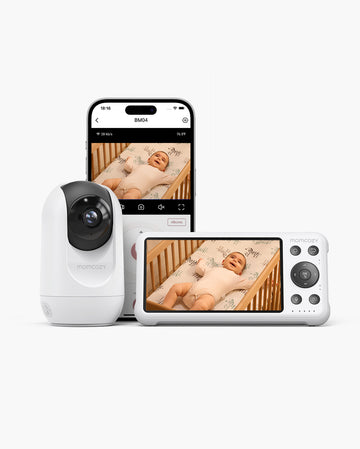
A toddler is more mobile than a baby and is also more communicative. As such, you no longer wonder if you can monitor them. Now, it's a matter of whether you should still monitor them. Is hearing them enough?
The answer depends on what you need the monitor to tell you. A live video feed is useful if you want to know if they're playing, getting out of bed, or standing. Audio may be enough when your main concern is hearing crying, calling, or other sounds that tell you your child needs you.
This article compares video vs. audio baby monitors. Learn the advantages of each one over the other and how to pick the one that's right for you.
Key Takeaways
- Choose video monitor for toddlers only when seeing the room would actually change what you do next; if sound alone reliably tells you how to respond, audio may be enough on its own.
- Parents often keep occasional video access around toddler-bed transitions, quiet wakeups, independent play, illness, and home layouts that make sound hard to hear.
- Audio-only tends to suit families whose child can call out for help, whose bedrooms are close by, or who notice that having a screen available leads to more habitual checking.
- The choice isn't between running video constantly or using no monitor at all; many families rely on audio as their default and open video only when a sound or situation calls for more context.
- The decision should follow your child's communication and mobility, the layout of your home, and your own monitoring habits, rather than a single fixed age.
Quick Answer: Choose the Least Monitoring That Still Gives You the Information You Need

Would seeing your toddler actually change what you do next? That's the question that settles it.
Video earns its keep when sound alone doesn't tell the full story. Maybe you want to know if they're still lying down, sitting up, or quietly out of bed. Maybe it's about catching whether they're awake and playing or still trying to drift back off. Audio can't answer those.
Audio, on the other hand, is enough when sound already covers it. If all you really need is to know they're crying or calling for you, that's all audio has to do.
Why the Video-vs-Audio Decision Changes in Toddlerhood

Newborns can't move around on their own. Furthermore, their main way to communicate is by crying. Toddlers, on the other hand, have better mobility and communication skills. They can even play on their own. That can change how much information you want from a monitor.
Mobility Changes What You May Want to See
Unlike the case with newborns, you don't need to see your toddler constantly. They can climb out of bed, walk to the door, or come find you when they need something.
But video monitoring may still have its moments. For example, your toddler is stirring after bedtime but not calling out. A quick look can tell you whether they're simply resettling or genuinely need help.
Communication Can Make Audio More Useful
Toddlers can call you if they need help. When they're a newborn, you'd have to wonder why they are crying. So you needed a video feed to check their room and find the cause. Now, they can just tell you the problem, so video monitoring may not be needed.
Independence Can Change How Much You Want to See
As toddlers become more independent, you may have less reason to watch them continuously. You might only want to check in when you hear something unusual or when you know they are awake. Some parents may still prefer video for these check-ins, while others may be comfortable relying on audio.
If you are thinking of switching to audio monitors, you may want to check our guide on when to stop using a baby monitor first.
Video vs Audio Baby Monitor for Toddlers: Side-by-Side Comparison
This table lines up the situations that matter most for toddlers so you can see where each format tends to fit.
|
Criteria |
Video Monitor |
Audio Monitor |
|
Visual confirmation (is my toddler sitting, standing, out of bed?) |
Usually stronger fit |
Not available |
|
Quiet movement (toddler moving but not making noise) |
Usually stronger fit |
May miss this |
|
Toddler-bed exit |
Usually stronger fit |
Depends on whether they call out |
|
Child calling for parent |
May be enough |
Usually stronger fit |
|
Closed-door or multi-floor audibility |
Depends on setup |
Depends on setup |
|
Independent play (checking without disturbing) |
Usually stronger fit |
May be enough |
|
Nighttime checking |
Depends on setup — can reduce or increase checking |
May be enough |
|
Privacy / visual surveillance concerns |
Depends on setup |
Usually stronger fit |
|
Tendency to check the screen more than needed |
Depends on the parent |
Usually less of a factor |
|
Travel / portability |
Depends on setup |
Usually stronger fit |
|
Cost / complexity |
Depends on setup |
Usually stronger fit |
When Video Still Earns Its Place for a Toddler

Even when a toddler can call out for you, some events happen quietly — or look different than they sound. Video earns its place when what's happening in the room isn't something audio would reliably tell you.
Toddler-Bed Mobility
Once the crib's gone, climbing out becomes an option, and plenty of toddlers take it quietly. No cry, no call, just a kid who decided to get up and explore the room on their own terms. A video feed is really the only way to know whether that's happening right now, or whether they've just shifted around and settled back down.
Check Without Waking
Silence can be deceiving. A toddler lying completely still, fully awake, often sounds exactly like one who's drifting off. Cracking the door open would settle it, sure, but that's usually the move that wakes them up for real. Checking the screen instead gets you the same answer without the gamble.
Event-Based Use: Illness, Nightmares, and Potty Training
Some situations call for extra context only temporarily. A sick toddler, a stretch of nightmares, or the early nights of potty training are all times when parents may want visual access they don't use the rest of the year. This doesn't require switching monitor types permanently. It's often just about having the option available when it's needed.
Independent Play (With a Supervision Boundary)
Video can help you decide whether to step in when a toddler is playing quietly alone or just let them. However, please keep in mind that a monitor doesn't replace supervision, prevent falls, or reliably detect breathing. It only tells you what the camera can see, when you're looking at it.
A Useful Gut Check
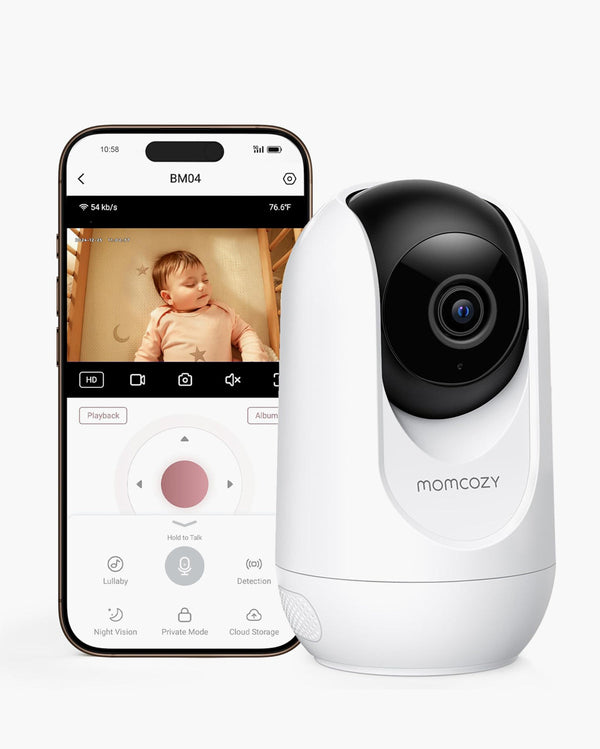
Think of a quiet, visual-only event that's actually happened in your home. If nothing comes to mind, audio may already be covering what you need. If you're leaning toward video, our guide on where to put a baby monitor can help with placement, and the Momcozy baby monitor collection is worth a look if you're ready to compare options.
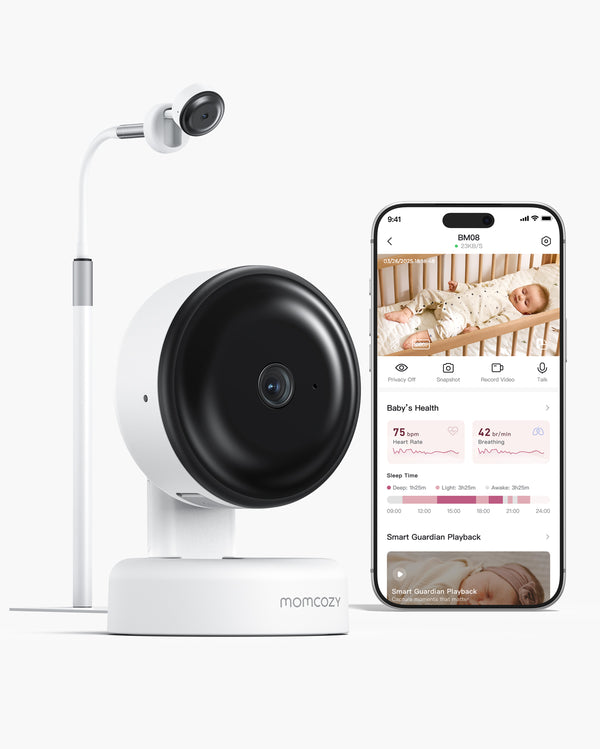
When Audio-Only Is Enough
Not every family needs a screen to know what's going on. Audio-only can be the right fit when sound already gives you the information you'd act on. Likewise, it may be enough when checking a video feed wouldn't actually change what you do next.
When Sound Is a Reliable Signal
If your toddler can call out, cry, or just yell "Mom" when something's wrong, that's already a clear signal on its own. The monitor's job shrinks down to one question: do they need me right now? Audio handles that fine.
When the Home Makes the Child Easy to Hear
Smaller homes change the math here. When a toddler's room sits close to wherever you're spending the evening, there's not much gap left between what audio tells you and what video would add. Worth testing honestly though. Closed doors, a fan running, the AC, white noise machines. All of it changes how far sound actually carries. A setup that works fine in a quiet house can fall apart in a louder one.
When Less Screen Visibility Improves the Routine
Some parents notice that just having a video feed on hand makes them check more than they'd like to. Not because anything's wrong, just because it's there and easy to glance at. Cutting back to audio-only can mean less time staring at a screen and less talking yourself into checking, without actually losing anything you need to know.
Going audio-only isn't settling for less. It's picking the tool that fits your family. For a broader rundown on formats and connection types, our guide on how to choose a baby monitor can help.
A Middle Ground: Use Audio Routinely and Video When Context Matters
It doesn't have to be all one or the other. Plenty of families land somewhere in the middle, where sound covers most nights and video stays on standby for when it's actually needed.
Audio First
Most nights, sound tells you what's going on. Crying, calling out, or quiet, you'll know. Leaning on audio by default cuts down on reflexive screen-checking, and video's still there if something comes up.
Video by Exception
Instead of leaving a live feed running all evening, some parents only pull it up when there's a real reason. A toddler just out of the crib, an illness where you want eyes on the room before going in, a night somewhere unfamiliar, or just checking in on independent play. The camera's part of the setup. It just isn't running nonstop.
Temporary Return to Video for Changing Circumstances
Things change. A toddler who's slept fine for months might suddenly start climbing out of bed, get sick, or hit a rough patch with nightmares. Any of that's a fair reason to lean back on video for a while. It doesn't have to stick around for good.
This approach suits families who want video available without it becoming a nightly habit. For anyone thinking about dropping the monitor entirely, our guide on when to stop using a baby monitor walks through that next step.
Why Home Layout Can Matter More Than Age
How old your toddler is has some effect on whether video or audio monitors are better. However, the impact of other factors - like home layout - typically has more weight.
Home layout affects how much a monitor adds on top of what you can already hear or see for yourself, which can matter as much as how old your child is or how well they communicate.
Same-Floor or Small Home
When a toddler's room is close to where you spend your evening, you may already be able to hear crying, calling, or other sounds without any device at all. In this layout, an audio monitor may add little, since it's mostly repeating what reaches you unaided. If a parent still wants a monitor here, video is more likely to be the one that adds something, since seeing the room tells you things that sound alone, device or no device, cannot.
Multi-Floor or Masked Sound
Sound has to travel to reach you, and plenty of ordinary things get in its way: a staircase between you and the nursery, a shut door, a fan running, central air, maybe a white noise machine on top of all that.
Add those up and you're not going to hear your toddler on your own. That's the layout where a monitor stops being just a “nice-to-have.” From there, go back to the earlier questions: does your toddler actually call out when something's wrong, and does quiet, undetected movement happen in your home.
Travel or Temporary Environments
A setup that works at home might not translate directly somewhere new. For example, it may not work when you’re staying at your parent’s house for a while. Some parents find they want more of one format or the other temporarily until they've adjusted to the space.
The most useful test is a practical one. Notice what you can actually hear or see from the bedroom, kitchen, and yard, with doors and background noise as they normally are, and compare that to what a monitor would add. For more on range and connectivity trade-offs, see our guide on how to choose a baby monitor.
Privacy, Checking Habits, and the Cost of Constant Visibility
Having a camera available changes more than just what you can see. It can also change how often you look, and how you feel about looking, as your toddler grows more independent.
When Video Reassures
For some parents, being able to glance at the feed lowers uncertainty. Instead of wondering what a sound meant or whether it's worth getting up, they can check quickly and go back to what they were doing. For these families, visual access tends to settle things rather than stir them up.
When Video Becomes a Checking Loop
For other parents, having the option to look becomes its own pull. They may find themselves opening the feed repeatedly even when nothing has happened to prompt it, simply because it's there. This isn't a flaw in either the parent or the device. It's a pattern worth noticing, since it's a different experience than checking in response to an actual event.
A useful question to ask yourself: are you checking because something happened, or because the screen was available? The first is the monitor doing its job. The second is worth paying attention to, since it may mean the camera is adding more looking without adding more information.
Growing Independence and Visual Privacy
As toddlers get older, some parents start to feel that constant visual access sits oddly with a child who's becoming more independent and capable of communicating on their own. This is a separate question from whether a monitor's connection is secure. One is about how much you want to see your child's own space. The other is a technical matter worth its own research.
If you're questioning monitoring altogether rather than just the format, our guide on when to stop using a baby monitor covers that transition.
FAQ
Can I keep the camera installed but use audio most nights?
Sure. Most setups allow this. You can keep the camera mounted, rely on sound on regular nights, and switch on video when something actually warrants it, such as a sick night or an unusual noise.
Not every monitor has a dedicated audio-only or screen-off mode though, so check your specific model's manual before building a routine around it.
Is audio-only enough if my toddler sleeps upstairs?
It can be, but the floor plan is only part of it. Closed doors, fans, white noise, the general shape of the house, all of that affects how far sound actually carries. Distance isn't really the question. It's whether meaningful calls or sounds reach you from wherever you normally spend the evening.
Should I keep video after the crib-to-toddler-bed transition?
Probably useful for a while, since climbing out of bed or wandering around can happen without a peep. There's no set timeline for this though. It really comes down to how your toddler's actually moving around and whether video's still telling you something sound alone would miss.
Can I use the monitor only on sick nights, during travel, or for temporary routines?
Yes, pretty common pattern. A lot of parents save video for specific situations, illness, travel, rather than running it all the time. Worth keeping in mind though, a monitor supplements supervision and a safe sleep setup. It's not a replacement for checking in person when something actually needs your attention.
Is a video baby monitor safer than an audio monitor?
Not as a blanket statement. Video adds context, sure, but neither format guarantees safety by itself. Supervision and safe-sleep practices are still doing the real work here. The monitor just supports that, it doesn't substitute for it.
What if looking at the baby monitor makes me more anxious or I keep checking it?
This is a pattern some parents notice, and it doesn't mean anything is wrong with you or the device. A useful way to think about it: is each check changing what you do, or mainly happening because the screen is available? If you're finding that monitoring itself, not just the format, no longer feels useful, our guide on when to stop using a baby monitor walks through that decision.
Conclusion
There's no single age or rule that tells you which monitor format fits your toddler. It comes down to one test: does seeing the room actually change what you do, or does sound already tell you enough? Some families keep video, some switch to audio, and some use video only when a specific situation calls for it. All of these are valid outcomes. If you're leaning toward video, browse our baby monitor collection. If you're wondering whether you need a monitor at all anymore, see when to stop using a baby monitor.