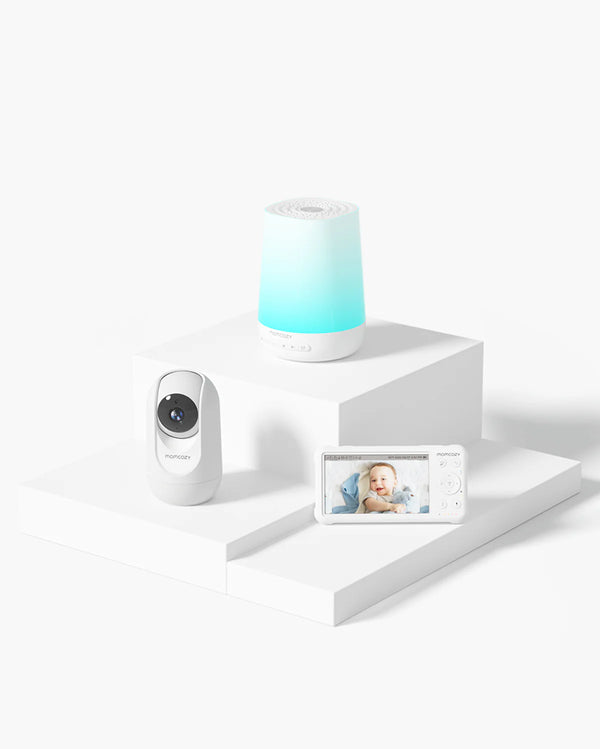
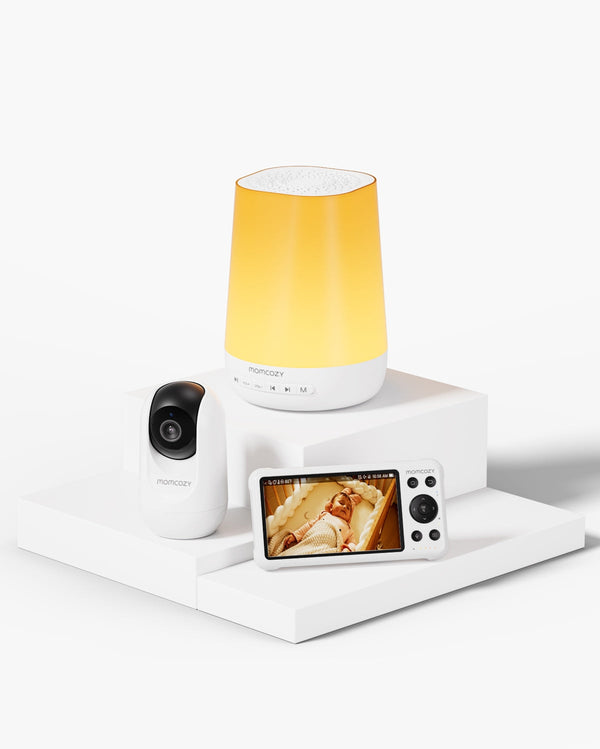
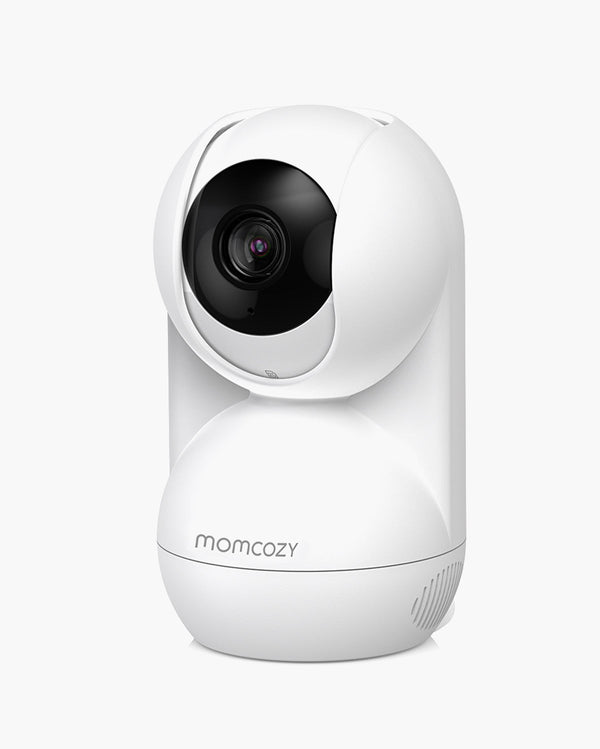
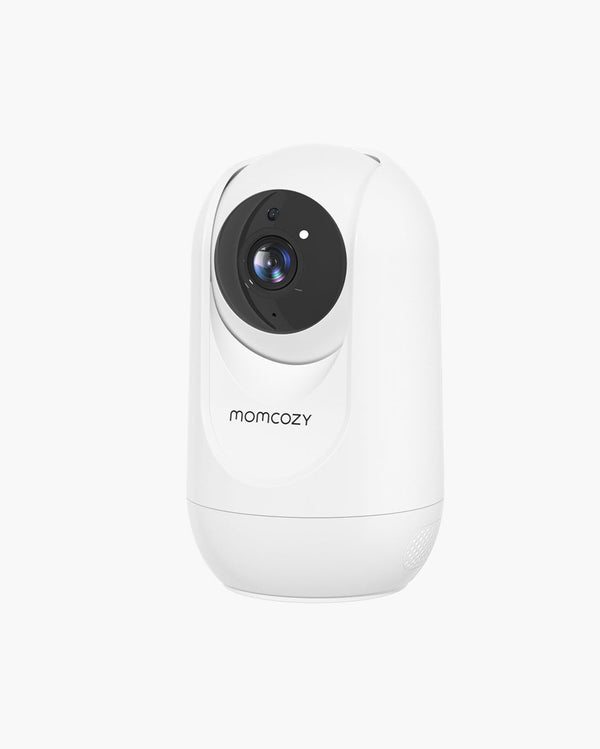
Trusted by Millions of Moms

Find the Right Baby Monitor for Your Family

Explore Smart and WiFi baby monitors with video check-ins for everyday nursery care.

App
Check-Ins
Private
WiFi & Local Options
HD View
Camera Clarity

Shop by Baby Monitor Scenario

New Arrival

BM08 Contact-Free Smart Baby Monitor

BM08 Contact-Free Smart Baby Monitor

No socks, patches, or wearables | App-based check-ins | Sleep insights | Smart notifications | No monthly fees

Find the right fit for your family

Smart notifications, sleep insights, and contact-free monitoring support.

Compare Momcozy Baby Monitor

€219,99 EUR

Compra ahora

€219,99 EUR

Compra ahora
Best For

Contact-free smart monitoring

Dual-mode family monitoring

Simple everyday local monitoring

Best Use

Sleep insights without wearables

Flexible app and screen viewing

No-WiFi local monitoring

Connection

WiFi + Bluetooth

Local + WiFi App

Non-WiFi FHSS

Viewing Method

App-based viewing

Parent unit + app

Parent unit

Camera / Video Type

Smart video camera monitoring

HD video camera monitoring

Everyday local video monitoring

Smart Notifications

Cry, face-covering, sleep-related notifications

Cry, motion, danger zone notifications

VOX and temperature notifications

Sleep Insights

Supported

Model-dependent / limited

-

Breathing Dynamics

Contact-free insights

-

-

Heart Dynamics

Contact-free insights

-

-

Monthly Fees

No monthly fees

No monthly fees

No monthly fees

From Moms, For Moms

FAQ
Choose
WiFi & App
Video & Local
Smart Setup
How do I choose a baby monitor?

Choose based on how you want to check in. If you want flexible phone viewing and smart alerts, choose a WiFi baby monitor with app support. If you prefer a dedicated screen and local viewing, choose a video baby monitor with a parent unit. If you want sleep-related insights without wearables, consider BM08. If you want simple non-WiFi baby monitor viewing, compare BM03 or BM01.

Which Momcozy baby monitor should I choose?

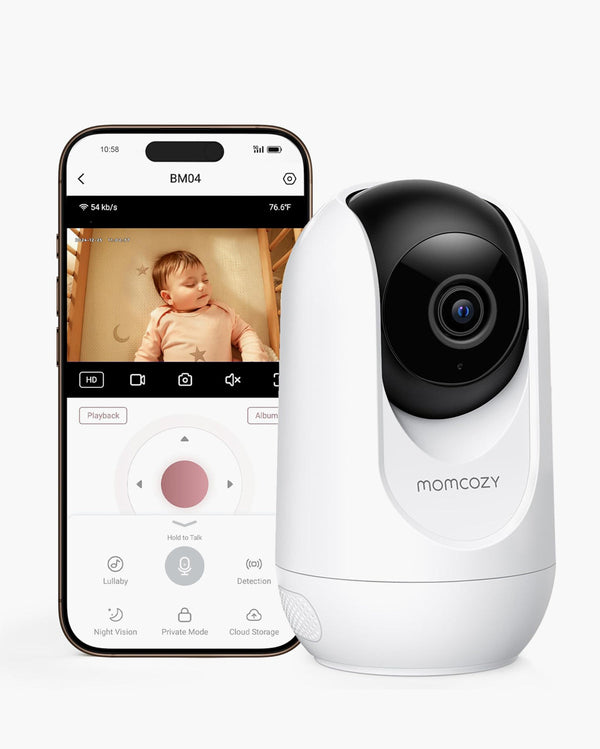
Choose BM08 for contact-free baby monitor support, app check-ins, sleep insights, smart notifications, and no wearable sensors. Choose BM04 if you want both app and parent-unit viewing. Choose BM03 or BM01 if you prefer a simple local video baby monitor without WiFi. Use the comparison table to review connection type, viewing method, camera setup, smart features, and fees.

What should I compare before buying a baby monitor?

Before buying a baby monitor, compare connection type, viewing method, video clarity, night vision, audio quality, range, battery life, smart notifications, camera expandability, privacy, and whether a monthly fee is required. Parents who travel or use grandparents’ homes may also want to compare local viewing and setup simplicity.

Is a baby monitor with app better than a parent unit?

Not always. A baby monitor with app is helpful for remote check-ins and phone viewing, while a parent unit is easier for quick glances at home and does not require opening your phone. Some families prefer both. BM04 is suitable for parents who want flexible app and parent-unit viewing in one setup. In this sense, BM04 works well for parents comparing a parent unit baby monitor with an app-supported option.

What is a WiFi baby monitor?

A WiFi baby monitor connects to your home network and supports app-based viewing, so parents can check in from a phone when they are in another room or away from home. WiFi monitors are useful for flexible routines, smart notifications, and remote access, while non-WiFi baby monitor options are better for local viewing without internet.

Can I view a Momcozy baby monitor from my phone?

Yes, select Momcozy monitors support app-based viewing. BM08 is designed for app-based smart check-ins, while BM04 supports flexible app or parent-unit viewing depending on the model setup. If phone viewing is a priority, choose a baby monitor with app support or a baby monitor that connects to phone instead of a local-only monitor.

How do I get started?

Not always. A WiFi baby monitor is useful if you want app-based viewing, remote access, or a baby monitor that connects to phone. A non-WiFi baby monitor or local baby monitor is better if you want local viewing through a dedicated parent unit without relying on home internet.

Is a WiFi baby monitor safe to use?

A WiFi baby monitor can be used safely when parents follow basic privacy steps, such as using a strong WiFi password, keeping the app updated, and placing the camera and cords out of reach. If you prefer a monitor that does not rely on home internet, choose a non-WiFi baby monitor or local viewing option.

Which Momcozy baby monitor has no monthly fees?

Momcozy BM08, BM04, BM03, and BM01 are positioned with baby monitor no monthly fees. You can compare smart features, app viewing, local viewing, and camera setup without adding a recurring subscription cost.

What happens if WiFi is weak or unavailable?

If WiFi is weak, a local or non-WiFi baby monitor can be a better fit because it does not rely on home internet for basic viewing. For families who want both flexibility and local viewing, compare dual-mode options such as BM04.

What is the difference between a baby monitor with camera and a video baby monitor?

A baby monitor with camera lets parents see and hear the nursery. A video baby monitor usually refers to a monitor that provides real-time viewing through a parent unit, app, or both. Momcozy offers video monitor options for local viewing, app viewing, smart contact-free monitoring, and multi-room coverage.

Do I need a non-WiFi baby monitor?

A non-WiFi baby monitor is a good choice if you prefer a dedicated parent unit, want local viewing without home internet, or need a simple plug-and-play setup. It is especially useful for families who prioritize privacy, stable local connection, or use in places with unreliable WiFi.

Is a non-WiFi baby monitor safer?

A non-WiFi baby monitor can be a good choice for families who prefer local viewing because it does not rely on home internet for basic monitoring. A WiFi baby monitor can also be used safely when parents follow privacy steps such as using a strong password and keeping the app updated. Choose based on whether you prefer app access, local viewing, or both.

How do non-WiFi baby monitors work?

Non-WiFi baby monitor options send video and audio between the camera and parent unit through a local wireless connection instead of streaming through the internet. This allows parents to monitor from a dedicated screen without opening an app or relying on a home network. This answers the common question: how do non-WiFi baby monitors work?

Which Momcozy baby monitor is best for local viewing?

BM03 and BM01 are better fits for parents who prefer simple local baby monitor no WiFi viewing. They are designed for everyday nursery check-ins through a parent unit. BM04 is a better fit if you want both a parent unit and app-based viewing, while BM03 and BM01 are stronger fits for a local video baby monitor need.

Can I use one baby monitor for two rooms?

Some monitor setups support extra cameras or two-camera viewing, depending on the model. A baby monitor with 2 cameras or multi-room baby monitor setup can be helpful for twins, siblings, a nursery plus playroom, or viewing the crib from different angles. Check the product details to confirm camera compatibility before purchasing.

What is a smart baby monitor?

A smart baby monitor adds features beyond basic video, such as app-based viewing, smart notifications, sleep-related insights, or contact-free monitor support. BM08 is Momcozy’s smart option for parents who want app check-ins, smart alerts, sleep summaries, and no wearable sensors.

Does BM08 require socks or wearable sensors?

No. BM08 is designed for contact-free baby monitor support, so no socks, patches, or wearable sensors are needed. It is made for families who want sleep-related insights and smart notifications without adding a device to the baby’s body.

What do sleep insights, breathing dynamics, and heart dynamics mean?

They are contact-free, sleep-related insights that help parents review patterns through the app. These baby monitor sleep insights are designed for everyday home monitoring support and should not be used for diagnosis, treatment, prevention, or medical monitoring.

Is BM08 a medical device?

No. BM08 is designed for everyday home baby monitoring support. It is not a medical device and should not replace professional medical equipment, direct supervision, or medical advice.

Is a smart baby monitor worth it?

A smart baby monitor is worth considering if you want more than basic video, such as app check-ins, smart notifications, and sleep-related summaries. If you only need a simple screen for local viewing, BM03 or BM01 may be enough. If you want a flexible app and parent-unit setup, BM04 may be a better fit. This helps answer the common question: smart baby monitor worth it?

Where should I place a baby monitor camera?

Place the baby monitor camera where it gives a clear view of the crib while keeping cords and the camera out of the baby’s reach. Follow the product manual for distance, mounting, and setup guidance, and avoid placing any corded device inside or directly within reach of the crib. This baby monitor camera setup guidance also supports baby monitor safety.

Momcozy Baby Monitor Buying Guide:Finding the Best Match for Your Nursery

01

How to Choose the Right Baby Monitor

If you are wondering how to choose a baby monitor, start with three questions: how you want to view your baby, whether you want WiFi or local viewing, and whether your family needs smart insights or multiple cameras. The best baby monitor is not the same for every family, so compare the best baby monitor features by daily use instead of starting with product names.
If you want flexible phone viewing and smart alerts, choose a WiFi baby monitor or baby monitor with app support. If you prefer a dedicated screen for quick home check-ins, choose a video baby monitor with a parent unit. If you want sleep-related insights without socks or wearable sensors, consider BM08 as a smart baby monitor option. If you want simple local viewing without home internet, compare BM03 or BM01 as non-WiFi baby monitor options.
For families with more than one room, twins, siblings, or different crib angles, look for extra camera support, baby monitor with 2 cameras options, or a split-screen baby monitor setup depending on the model.
02

Video Baby Monitors with Camera

A baby monitor with camera helps parents see and hear what is happening in the nursery instead of relying on sound alone. A video baby monitor usually provides real-time visual viewing through a parent unit, app, or both.
For everyday home use, parents often compare clear video, night vision, two-way audio, connection stability, and an easy-to-read screen or app view. Momcozy offers baby monitor camera options for local parent-unit viewing, app-supported viewing, smart contact-free monitoring, and extra camera coverage depending on the model.
03

WiFi Baby Monitor with App Check-Ins

A WiFi baby monitor is a good fit when you want flexible viewing beyond a dedicated screen. App-based check-ins make it easier to look in from another room, during chores, or when you are away from home.
Momcozy WiFi and dual-mode options support modern family routines with features such as phone viewing, smart notifications, and clear nighttime check-ins. If phone access is a priority, choose a baby monitor with app support or a baby monitor that connects to phone. If you want both local viewing and app access, choose a model that supports both a parent unit and app-based check-ins.
04

Non-WiFi Baby Monitors for Local Viewing

A non-WiFi baby monitor works through a local connection instead of relying on home internet. This can be a better fit for parents who prefer a dedicated parent unit, want simple plug-and-play viewing, or need reliable monitoring in places where WiFi is weak or unavailable.
Momcozy baby monitor no WiFi options support everyday nursery check-ins with local video viewing, clear audio, night view, and parent-unit convenience. If you prefer a no-internet setup, explore Momcozy Non-WiFi Baby Monitors at /collections/baby-monitor-no-wifi to compare non-WiFi baby monitor and local baby monitor options.
05

Smart Baby Monitor without Wearables

A smart baby monitor can go beyond basic video by adding app-based insights, smart notifications, and sleep-related summaries. BM08 is designed for parents who want contact-free baby monitor support without socks, patches, or wearable sensors.
BM08 supports everyday home baby monitoring with baby monitor sleep insights, breathing dynamics, heart dynamics, app-based check-ins, and smart notifications. For parents comparing a smart baby monitor no subscription style setup, BM08 is positioned with no monthly fees. These insights are designed for everyday home care support and should not be used for diagnosis, treatment, prevention, or medical monitoring. BM08 is not a medical device and should not replace professional medical equipment, medical advice, adult supervision, or direct care.
06

Compare Momcozy Baby Monitors

If you are not sure which model to choose, start with the viewing method and connection type. Use this section to compare baby monitors by connection type, viewing method, smart notifications, sleep insights, camera setup, multi-room support, and monthly fees.

Model Best fit Viewing method Connection style Key decision point
BM08 Parents who want smart, contact-free insights App-based check-ins WiFi/app-based setup Choose for contact-free baby monitor support, sleep insights, smart notifications, and no wearable sensors.
BM04 Parents who want both app and screen viewing App and parent-unit viewing Dual-mode style setup Choose for a flexible baby monitor with app and parent-unit viewing in one setup.
BM03 Parents who prefer simple local viewing Parent-unit viewing Local / non-WiFi style setup Choose for everyday baby monitor no WiFi viewing through a dedicated screen.
BM01 Parents who want simple local monitoring Parent-unit viewing Local / non-WiFi style setup Choose for a basic video baby monitor experience without relying on home internet.
07

Multi-Room and Add-On Camera Setup

Families with more than one child, more than one room, or multiple viewing angles may need a baby monitor with 2 cameras or extra camera support. A multi-room baby monitor setup can help parents check a nursery, play space, sibling room, or different crib angle from one system.
Depending on the model, Momcozy monitor options may support two-camera viewing, add-on cameras, or split-screen baby monitor style check-ins. This can be especially helpful for twins, siblings, or parents who want broader nursery coverage without buying a separate monitor system for each room. Always check the product details to confirm camera compatibility before purchasing.
08

Privacy, Fees and Everyday Reliability

Parents often compare baby monitors based on privacy, connection stability, and ongoing cost. WiFi baby monitor options offer app-based flexibility, while non-WiFi baby monitor options use local viewing without relying on home internet.
Some smart monitors require subscriptions for advanced features, so it is important to check what is included before buying. Momcozy BM08, BM04, BM03, and BM01 are positioned with baby monitor no monthly fees, giving families a clearer way to compare smart features, video viewing, local monitoring, and daily reliability without adding another recurring cost.
For parents comparing a secure baby monitor or reliable baby monitor, connection type, privacy settings, local viewing, app access, and included features matter more than one single feature claim.

You may also like