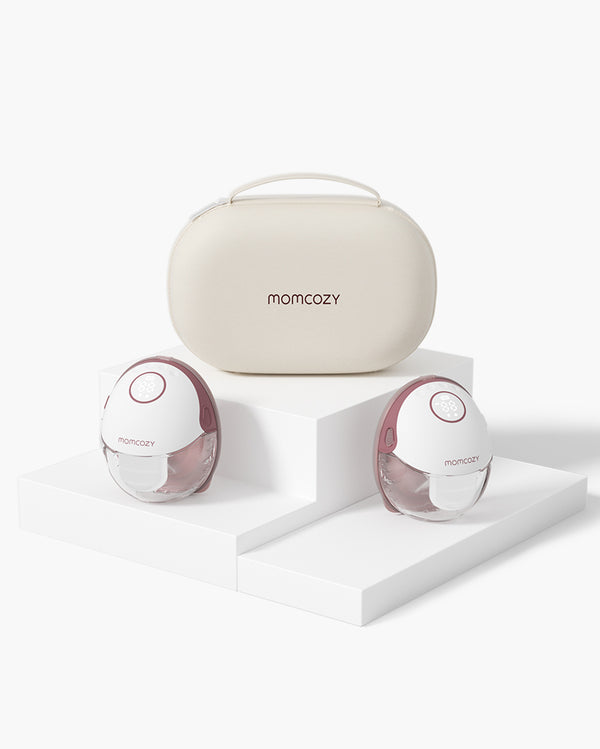
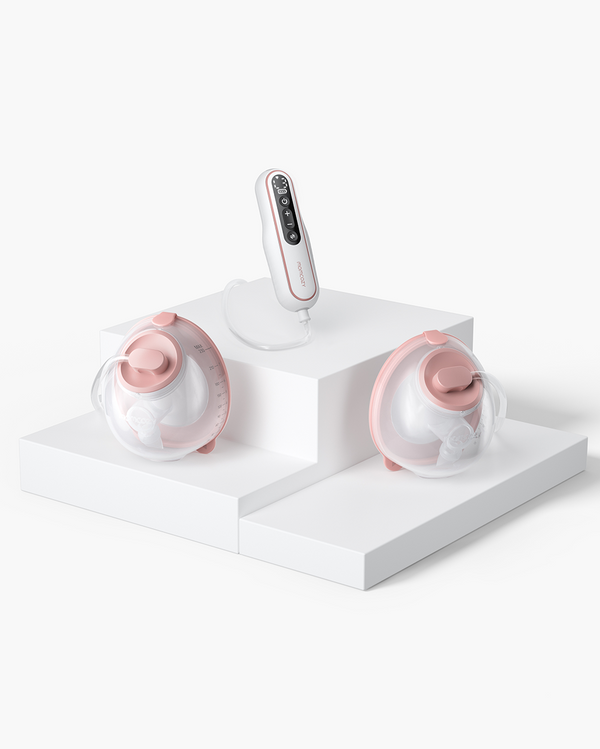
Table of Contents
Every ounce you pump took time, sleep, and effort to produce. Keeping track of it matters more than it might seem at first. Whether you're heading back to work, building a freezer stash, or just trying to understand your supply, a breast milk tracking system tells you exactly where you stand each day.
Why Should You Track Pumped Breast Milk?
Did your output drop because of stress, a skipped session, or a growth spurt? Tracking tells you.
- Know your supply. Monitoring daily output helps you understand whether your supply is growing, stable, or dipping, so you can respond before it becomes a problem.
- Reduce waste. Labeling pumped milk with dates ensures you use the oldest bags first and never pour out spoiled milk.
-
Manage your freezer stash. An organized app to track your breast milk freezer stash tells you exactly what you have, so you're never caught short.
- Spot feeding patterns. Tracking milk production over time reveals when you pump most efficiently and how your output changes with your baby's growth.
- Support NICU or special-care situations. For parents of premature or hospitalized babies, precise records are often required by medical teams.
- Share with caregivers. A clear log helps partners, grandparents, or daycare providers feed your baby correctly and safely.
- Stay motivated. On days when pumping feels thankless, seeing your weekly total climb is the reminder you need to keep going.
How to Track Your Breast Milk Supply
There are several ways to track breast milk, and the best method depends on how often you pump and how much detail you want to capture.
Manual Logs
A manual log is the most traditional breast milk tracking system. It requires nothing more than a notebook or a printed sheet. No phone, no app, no Wi-Fi required.
Step-by-Step Guide to Manual Logging:
- Set up a simple table with the following columns: Date, Time, Left Breast (oz/ml), Right Breast (oz/ml), Total Output, and Notes.
- After each pumping session, fill in the row immediately. Don't rely on memory.
- At the end of each day, total your output and note any changes (new foods, stress, illness, cluster pumping—pumping multiple times in close succession to boost supply).
- Review your log weekly to identify trends.
Manual Log Template:
| Date | Time | Left (oz) | Right (oz) | Total (oz) | Notes |
Pros:
- Free and always accessible
- No battery, no signal, no app required
- Easy to customize with your own categories
Cons:
- Easy to forget or misplace
- Hard to spot long-term trends without adding up numbers manually
- Not shareable in real time with partners or caregivers
Tips & Cautions:
- Keep your log next to your pump so it's impossible to miss.
- Use a pencil so you can correct mistakes easily.
- Take a weekly photo of your log so you don't lose your records.
- Missing a session won't ruin your records. Just pick up where you left off.
Freezer Labels
If you're building a breast milk freezer stash, writing the date and volume on every bag is non-negotiable. Freezer labels are a simple, visual way to track breast milk storage and make sure nothing gets wasted.
Step-by-Step Guide to Using Freezer Labels:
- After pumping, pour your milk into a storage bag or container.
- Before sealing, write the date pumped, the volume (in oz or ml), and which breast (if tracking separately) directly on the bag or label.
- Store bags flat in the freezer so they stack easily and remain visible.
- Organize bags by date, oldest in the front, newest in the back (FIFO: First In, First Out).
- Keep a running tally in a notebook or app of what's in the freezer.
Freezer Label Template:
Date Pumped: _______________
Volume: _______oz / _______ml
Left / Right / Both (circle one)
Use by: _______________ (within 6 months is best; up to 12 months acceptable)
Notes: _______________
Pros:
- Prevents expired milk from going unnoticed
- Visual and physical. No tech required
- Works well alongside a digital app to track your breast milk freezer stash
Cons:
- Doesn't give you a cumulative picture of output over time
- Labels can smudge in the freezer if written with the wrong pen
- Doesn't track when milk was used
Tips & Cautions:
- Use a permanent marker (Sharpie works well) that holds up in cold and wet conditions.
- Pre-printed labels with checkboxes save time during busy days.
- Fresh breast milk lasts up to 4 days in the refrigerator. For the freezer, within 6 months is best; up to 12 months is acceptable. Always label accordingly.
- Don't overfill bags; leave 1 inch (2.5 cm) of space for expansion during freezing.
Smart Apps: Using a Breast Milk Tracker App
A breast milk tracking app turns your phone into a digital milk logbook. These apps log sessions, calculate totals, and show charts and trends that manual methods can't match. If you're looking for the best breast milk tracking app for day-to-day pumping, the Momcozy App is built specifically for Momcozy smart pump users—it handles both pump control and milk logging in one place, so you never have to switch tools or write anything down separately.
1. Momcozy App (Recommended for Momcozy Pump Users)
Built to work directly with Momcozy smart pumps, the Momcozy App lets you log milk volume, view daily and weekly summaries, and control your entire pumping session from your phone. It's the only app on this list that also operates your pump.

2. Baby Tracker – Newborn Log
A comprehensive baby care app that covers breast milk pumping alongside feeding, diaper, and sleep logs. Useful for moms who want a single place to track everything about their newborn's day, not just pumping.

3. Huckleberry
Best known for sleep tracking, Huckleberry also logs pumped sessions and nursing. A good fit for moms who want to see how feeding and sleep connect over time.

![]() 4. Pump Log
4. Pump Log
A dedicated pumping tracker with session timers, volume entry, and chart views. Straightforward and focused—no extra features to navigate around.

![]() 5. Baby Feed Timer
5. Baby Feed Timer
A lightweight option for tracking nursing and pumping sessions. Works well for moms who want something simple without a learning curve.

Step-by-Step: How to Track Breast Milk with Baby Tracker – Newborn Log
- Download "Baby Tracker – Newborn Log" from the App Store or Google Play.
- Create a profile for your baby.
- Tap the Pump icon on the home dashboard.
- Enter the date and time of your session.
- Enter the volume pumped for the left breast, right breast, or both.
- Add optional notes (pump type, how you felt, etc.) and tap Save.
- To view your history, tap Reports and select a date range (daily, weekly, or monthly).
- Share your log with a partner or caregiver by enabling multi-user access in Settings.
Tips for App Tracking:
- Log your session immediately after pumping while the number is fresh in your mind.
- Set a phone reminder after each session if you tend to forget.
- Check your weekly chart at the end of each week to see whether your output is trending up or down.
Why Choose the Momcozy App: Your Digital Milk Logbook
The Momcozy App was built around one idea: pumping and tracking should happen in the same place. For moms who want the best breast milk tracking app that also runs their pump, it works with Momcozy's latest smart pumps, including the M5 Smart, M9, and Air 1, so you control your pump and log your output without switching tools.
Ab €149,99 EUR
App-Steuerung
Mehr Komfort
Hohe Effizienz
Tragbar
Mehr Diskretion

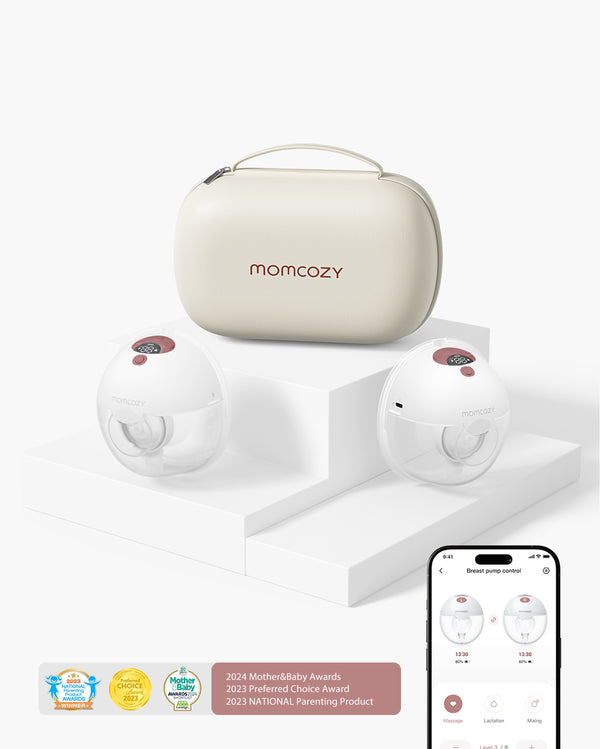
With the Momcozy App, you can:
- Log every pumping session with just a few taps
- View daily, weekly, and monthly output summaries with clear visual charts
- Spot production patterns to optimize your pumping routine
- Control your smart pump directly from your phone
No more scribbling numbers on sticky notes or guessing how much you pumped last Tuesday.
How to Track Milk Volume with the Momcozy App (Using the M5 Smart as an Example)
All Momcozy smart pumps—including the M5 Smart, M9, and Air 1—connect to the Momcozy App and follow the same core workflow: pump, control, and log, all from your phone.
Step 1: Set Up Your M5 Smart
Turn on your M5 Smart pump motor. If you have a double pump pair, make sure both units are powered on and kept close to your phone.

Step 2: Connect to the Momcozy App
Open the Momcozy App and make sure Bluetooth is enabled on your phone. Tap "Add a Device" or the "+" icon on the home screen.

Select M5 Smart from the device list, or scan the QR code on your pump.

The app will automatically search for your pump. Once it appears, follow the on-screen prompts to complete pairing.

Tap "Completed" and your pump will appear on your home page.

Step 3: Start Your Pumping Session
Tap the M5 Smart device card on the homepage to open the pump control page. From here, you can:
- Check battery level at a glance
- Choose to control both pumps together (tap Sync) or adjust each pump individually


- Switch between Massage, Expression, and Mixed modes
- Tap "+" or "–" to adjust suction levels (1 through 9)
- Hit Start/Stop to begin pumping
No reaching into your bra. No fumbling with buttons. Just tap, adjust, and keep going.
Step 4: Log Your Milk After the Session
When your session ends, enter your milk output manually in the app. Type in the volume and tap Save. Every session is automatically timestamped and added to your history.

Step 5: Check Your Pumping Stats
Head to the Stats page in the app. View your pumping data by day, week, or month. Swipe through your history to spot patterns (like which time of day you pump the most or whether your output increased after power pumping—a technique where you pump on and off for about an hour to stimulate supply).

Benefits of Pairing Any Momcozy Smart Pump with the App:
- Hands-free control: Adjust modes and levels from your phone without interrupting your session
- Session history: Every session is timestamped automatically; milk volume is logged with a quick manual entry
- Visual trends: Charts show your breast milk production over days, weeks, and months
- Dual pump control: Manage both sides simultaneously or customize each independently
- Customizable display: Switch between oz and ml, and choose 12-hour or 24-hour time format in Settings → Me
Momcozy M5 Smart vs. Momcozy M5: What's the Difference?
The original M5 is one of Momcozy's best-selling wearable pumps. The M5 Smart adds what the M5 is missing: app control and digital tracking.
| Feature | M5 | M5 Smart |
| App Integration | ✗ | ✓ Connects to Momcozy App |
| Remote Control | ✗ | ✓ Adjust modes from your phone |
| Milk Volume Tracking | Manual only | ✓ Logged digitally via app |
| Pumping History Charts | ✗ | ✓ Daily/weekly/monthly |
| Battery Life | 150-180 min | 150-180 min |
| Weight | ~8.1 oz (~230g) | ~8.1 oz (~230g) |
| In-Bra Design | ✓ | ✓ |
App Integration: The M5 Smart connects directly to your smartphone via Bluetooth. The original M5 does not.
Remote Control: With the M5 Smart, you change modes and suction levels right from your screen. No need to reach into your bra mid-session.
Automatic Tracking: The M5 Smart helps you track breast milk production over days, weeks, and months through visualized charts in the Momcozy App. The original M5 requires entirely manual record-keeping.
If you want to track every session without a separate notebook or app, the M5 Smart fits that routine in a way the original M5 simply can't.
Exclusive App Modes for the M9 and Air 1
If you want even more customization, Momcozy's M9 and Air 1 pumps offer exclusive pumping modes through the app that the M5 Smart does not include.
€499,99 EUR
Ultraflach
Kabelloses Aufladen
Müheloses Anlegen
Leise & smart

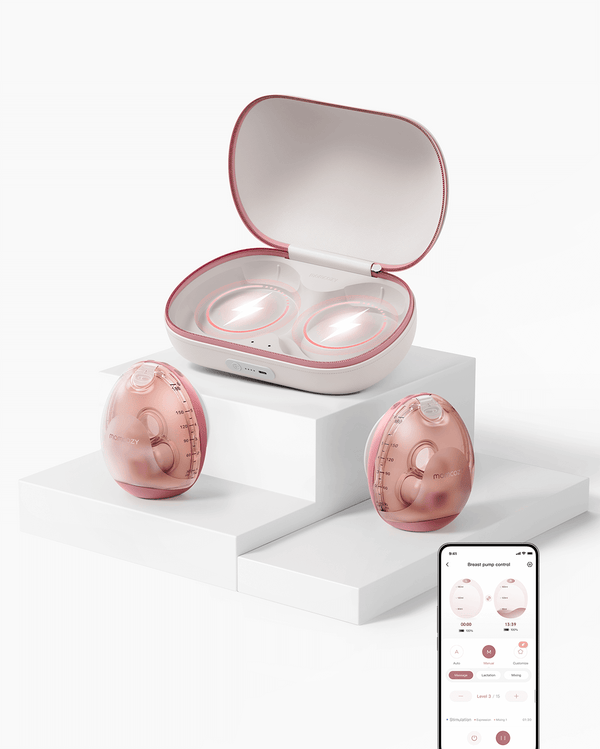
Milk Boost™
This mode mimics a baby's natural growth spurt feeding pattern, delivering a rhythm designed to help increase breast milk production. Use it during a growth spurt week when your baby is feeding more and your supply needs to catch up.
Milk Relief™
Milk Relief™ provides a "Quick Release" flow for moms with full, heavy breasts. Use it when you're engorged and need fast relief without committing to a full session.
MyFlow™ Mode
MyFlow™ lets you create your own custom rhythm and intensity—a 100% personalized pumping experience built around your body's unique needs.
FAQs About Breast Milk Tracking
Q1: Is it safe to use an app to track my milk?
Using a breast milk tracking app carries no health risk in itself. These apps simply log information you enter. They don't interact with your body or your pump (unless paired with a smart device like the M5 Smart). The only thing to watch is accuracy: always double-check that the date and volume you entered are correct, since your records are only as reliable as what you put in.
Q2: How do NICUs track breast milk?
NICUs use highly controlled breast milk tracking systems to protect fragile newborns. In most hospitals, every bottle of expressed milk is labeled with the baby's name, date, time pumped, and volume. Many NICUs now use barcode scanning systems. Each milk bag is tagged and scanned at every step: collection, storage, preparation, and feeding. This process ensures every bag is traceable from pump to feeding, preventing mix-ups and ensuring the right baby always receives the right milk. Some hospitals also track pasteurized donor milk using the same scanning protocol. If your baby is in a NICU, the nursing team will guide you through their specific breast milk tracking requirements.
Q3: How do you measure how much breast milk a baby is getting?
If your baby is exclusively breastfed (not pumped), measuring intake directly is tricky. The most accurate method is a weighted feed: weigh your baby on a precise scale before nursing, feed as normal, then weigh again immediately after without changing the diaper. The difference in grams is roughly equal to the volume consumed in milliliters—for example, a 60g increase means your baby drank about 2 fl oz (60 ml).
If your baby is bottle-fed with pumped milk, simply note how much was in the bottle before and after the feed. The difference is what they drank. Track this in your breast milk tracker app for an easy running total. If you're ever concerned about your baby's intake, a lactation consultant or pediatrician can help you with an in-person weighted feed assessment.
Start Tracking Your Milk Today
Pick one method and start today. Even a sticky note with the date and volume beats trying to remember it all in your head. Whether you stick with a notebook, rely on freezer labels, or use a breast milk tracking app, the Momcozy M5 Smart and Momcozy App do that work for you. Your milk is precious—and now you have every tool you need to track every drop of it.